Troy AI: Email and Text Writing for Financial Advisors
Draft personal emails, text messages and branded email layouts in seconds, using what LeadCenter already knows about each contact. You review every message before it goes out.
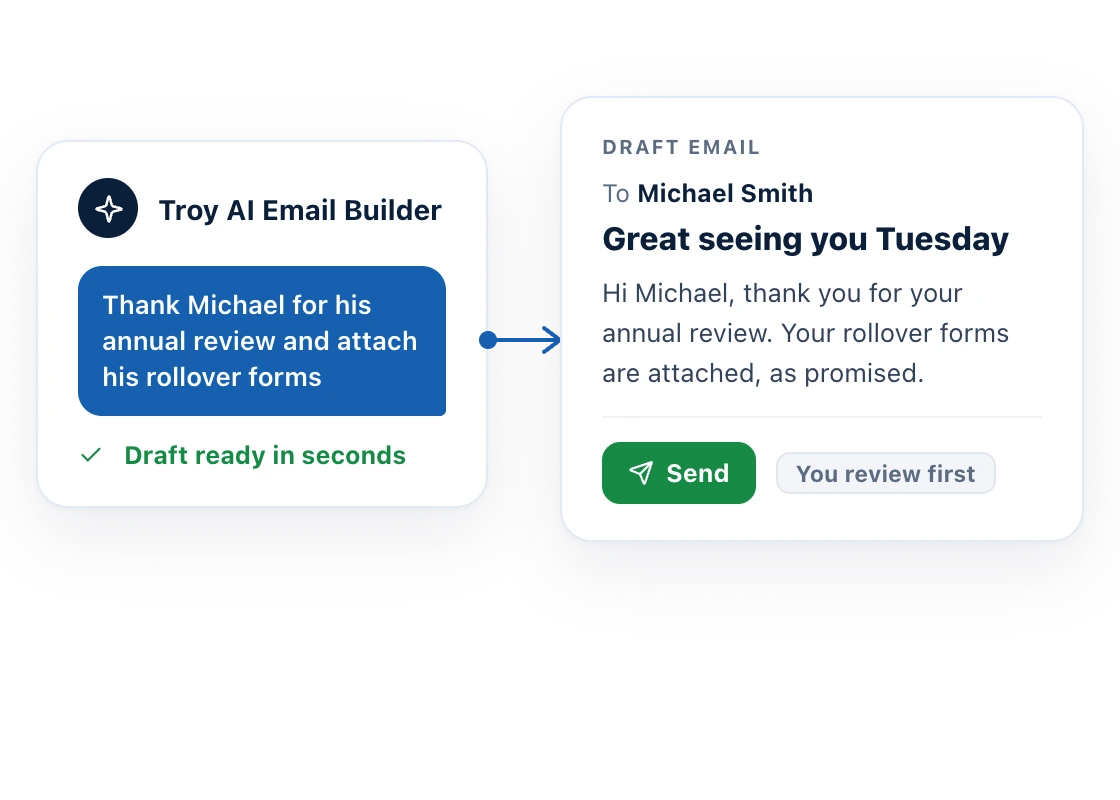
 Instant Email and SMS Creation
 Built-In Email Designer
 Personal to Every Contact
Write Emails That Know Each Contact
Open Troy AI on a contact and ask for a follow-up. Troy looks at that contact’s notes, tasks, appointments and past messages, then drafts wording you can use in an email or text. Nothing is sent until you send it.
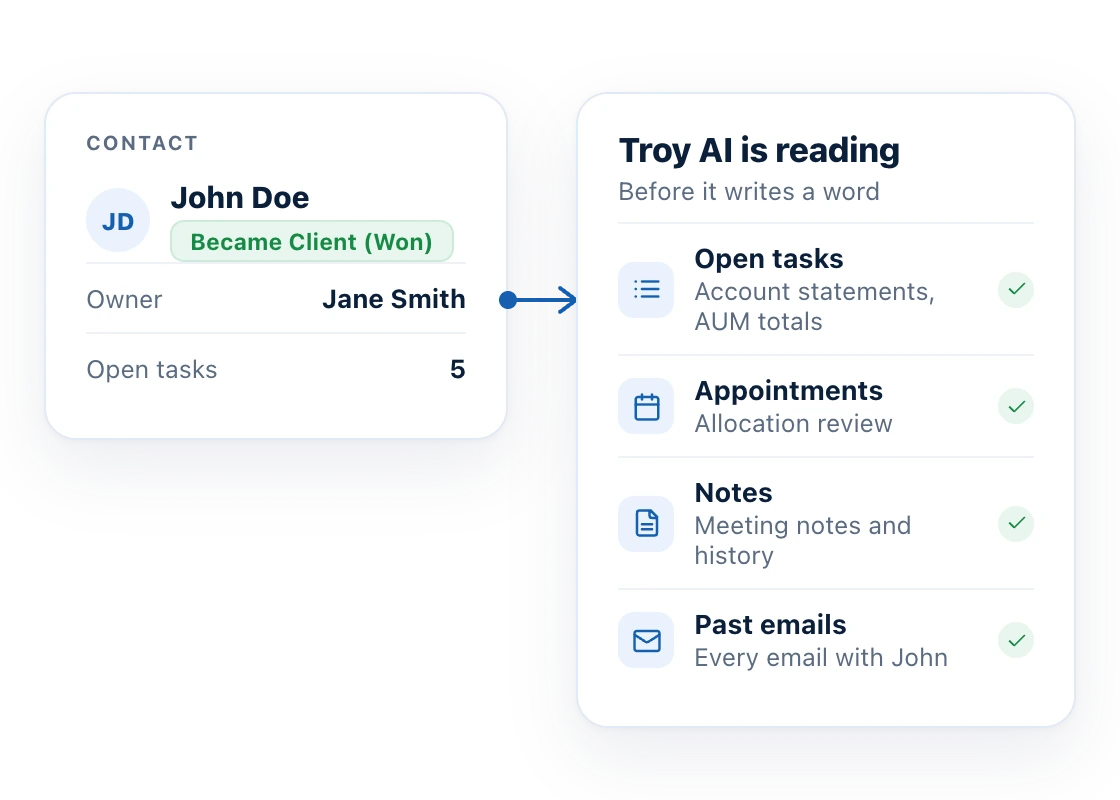
Every Message Feels Personal
Troy AI writes from what LeadCenter knows about each contact: their last meeting, open tasks, accounts and notes. So every email reads like you wrote it for that person, not like a template with a first name filled in.
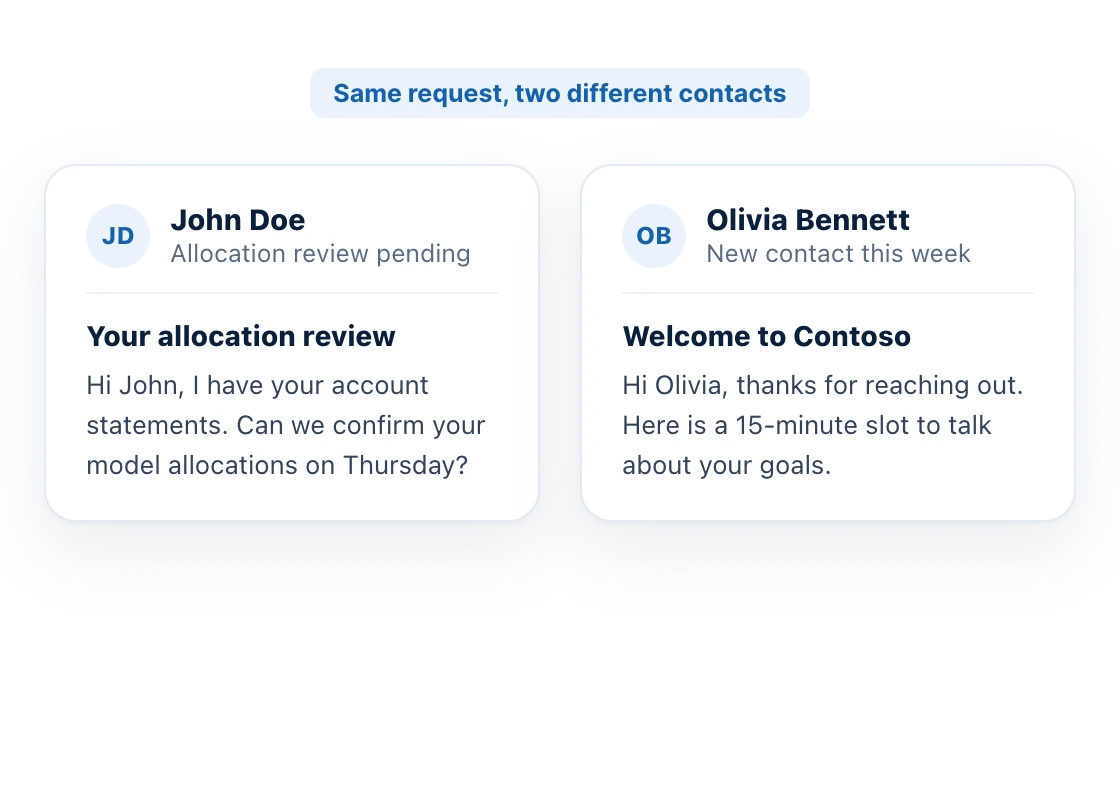
Refine Until It Sounds Like Your Firm
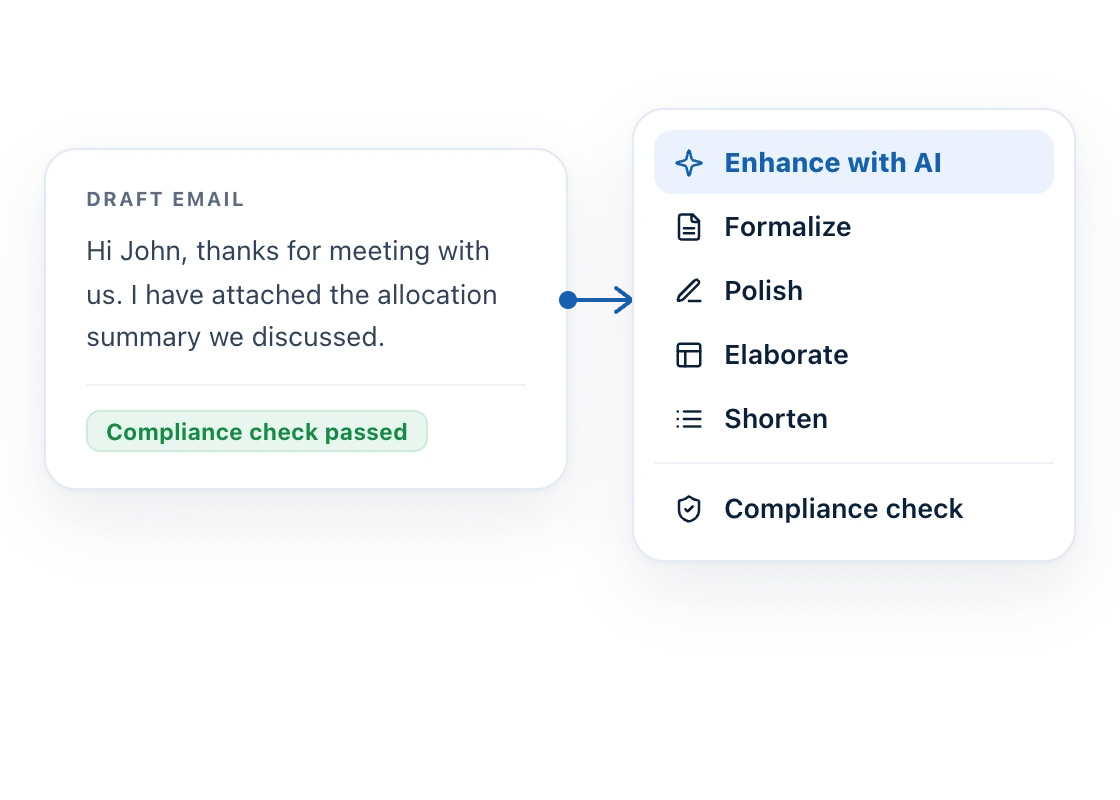
Use Enhance with AI, Formalize, Polish, Elaborate or Shorten to adjust any draft. Then run a Compliance check before you click Send.
Generate a Full HTML Email Layout from a Simple Prompt
Describe the email you want, such as a newsletter, seminar invite, appointment reminder or re-engagement email. Troy AI builds a complete, branded HTML layout you can edit and save as a template.
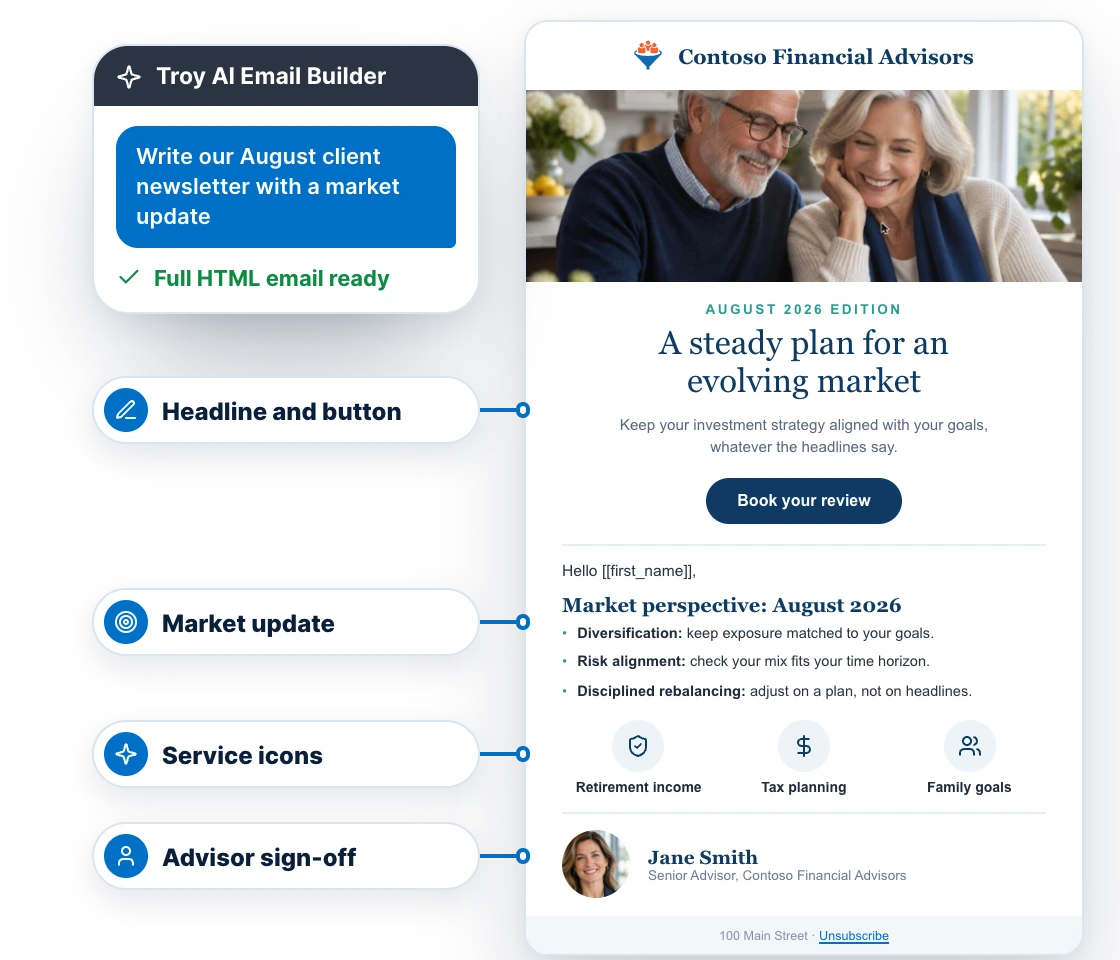
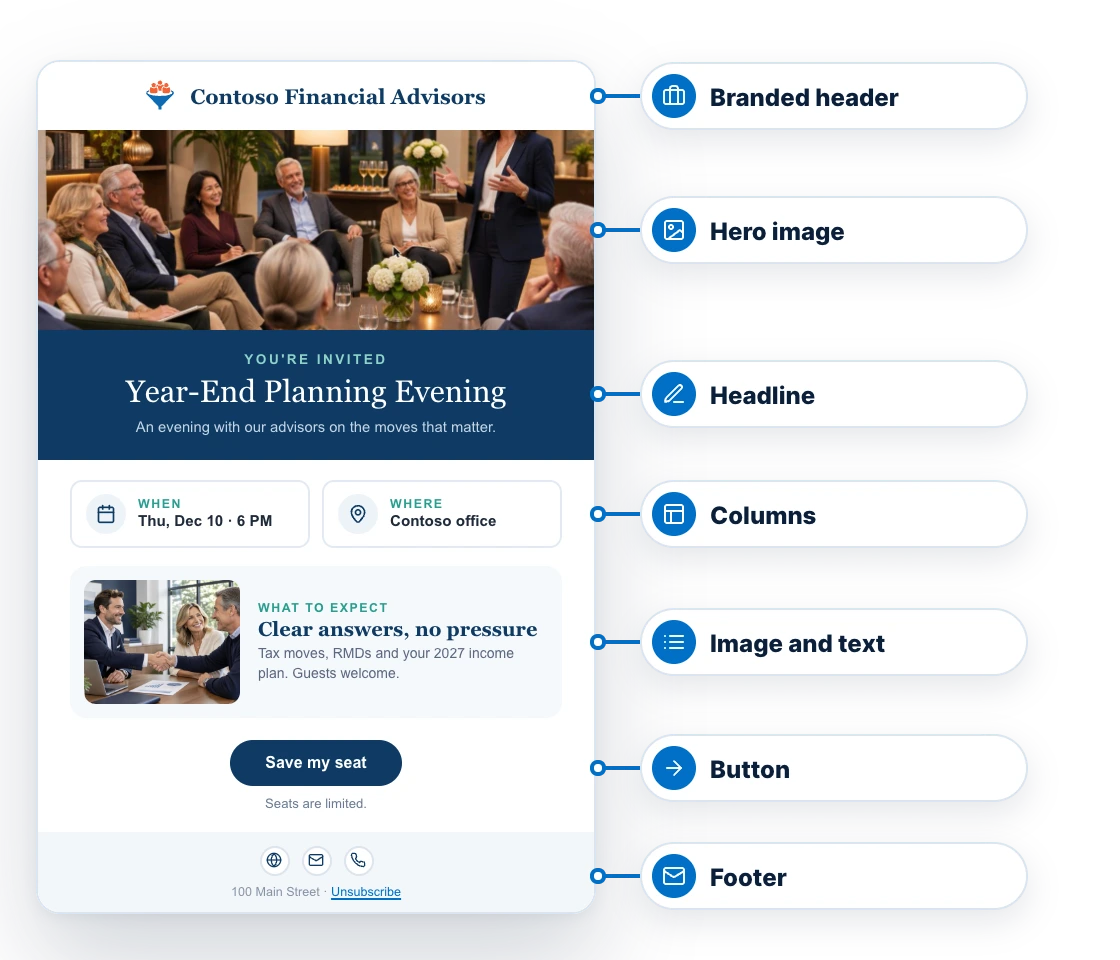
Brand-Ready Sections: Headlines, CTAs, Columns, and Content Blocks
Instead of plain text, you get a real layout: headers, sections, call-to-action blocks and columns, with no code to write.
Frequently asked questions
What does Troy AI do for emails and texts?
Troy AI writes and refines emails and text messages, and builds branded HTML email layouts, inside LeadCenter. It uses each contact’s details, tone actions and saved templates.
Can I personalize emails and texts automatically?
Yes. Troy AI drafts each email from that contact’s own meetings, tasks, accounts and notes, so no two messages read the same. You review every draft before it goes out.
Can I save AI-generated content as templates?
Yes. Both emails and text messages can be saved as templates and reused across campaigns, workflows, reminders, and team-shared libraries.
Can I adjust the tone and style?
Yes. Ask Troy AI to formalize, polish, elaborate or shorten any email or text until it matches your firm’s style.
Does Troy AI send messages for me?
No. Troy AI drafts and refines. You review every email and text and click Send yourself.
Transform the Way You Write Emails
Draft personal, professional emails and texts in seconds, directly inside LeadCenter, so your team spends less time writing and more time with clients.
LeadCenter CRM, anywhere you go
Access your contacts, calendar, and tasks on the go with the LeadCenter mobile app for iOS and Android.