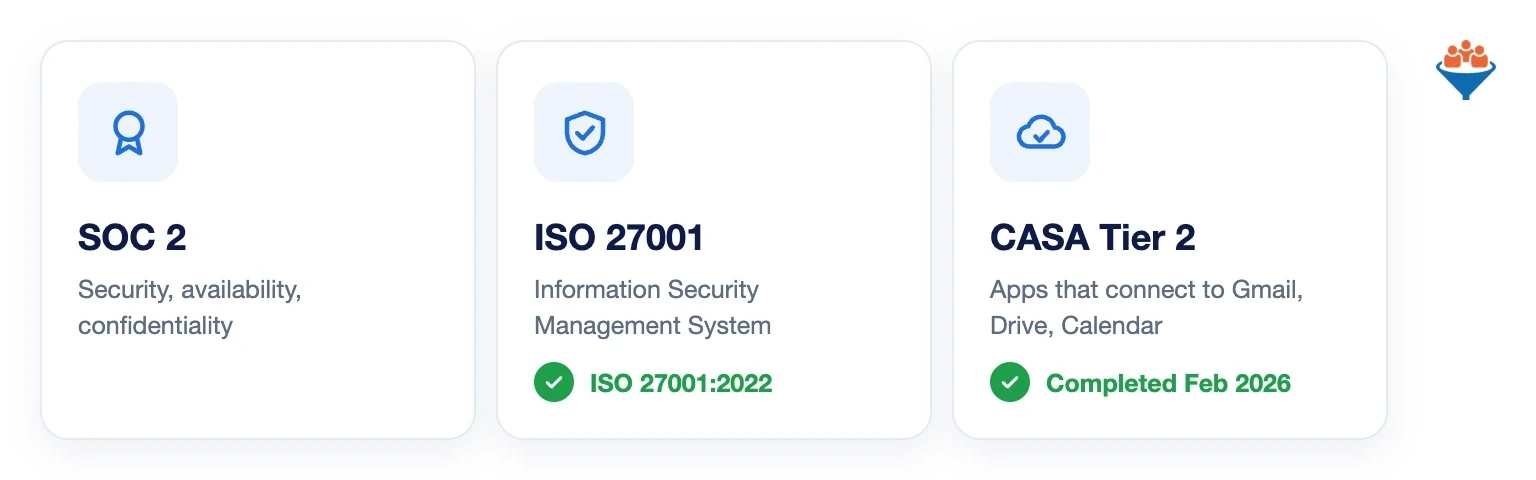
LeadCenter.AI is SOC 2 and ISO 27001 certified, and has passed Google’s CASA Tier 2 assessment for apps that connect to Gmail, Drive and Calendar.
Need proof for your compliance team? Request the SOC 2 report or ISO 27001 certificate at support@leadcenter.ai.
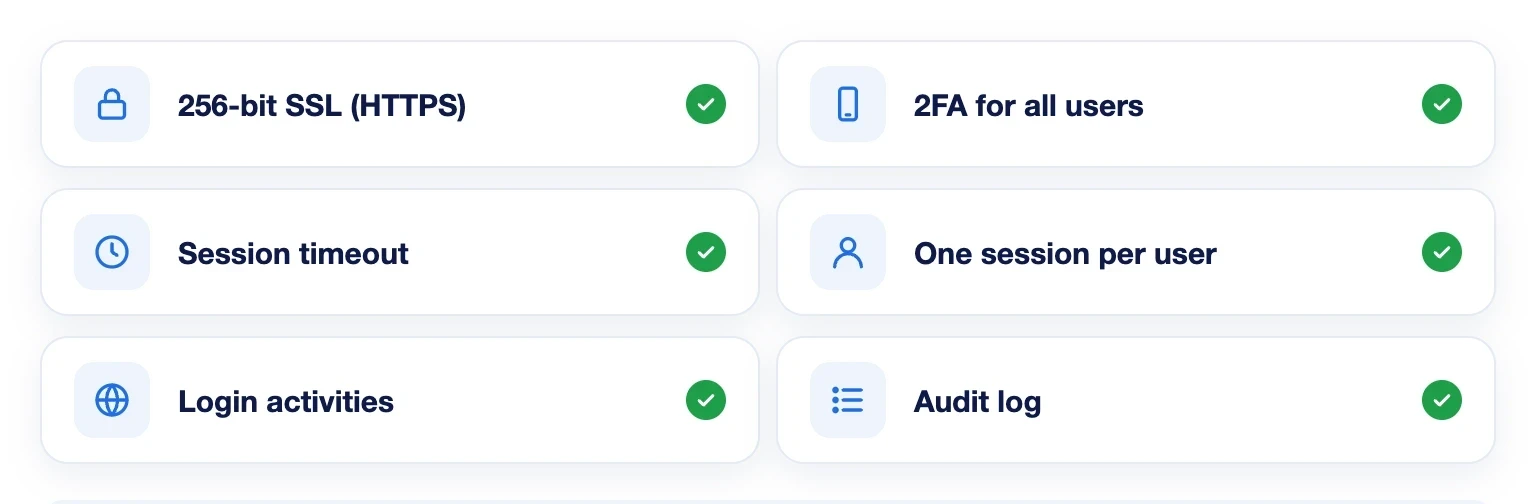
Turn On 2FA and Session Limits
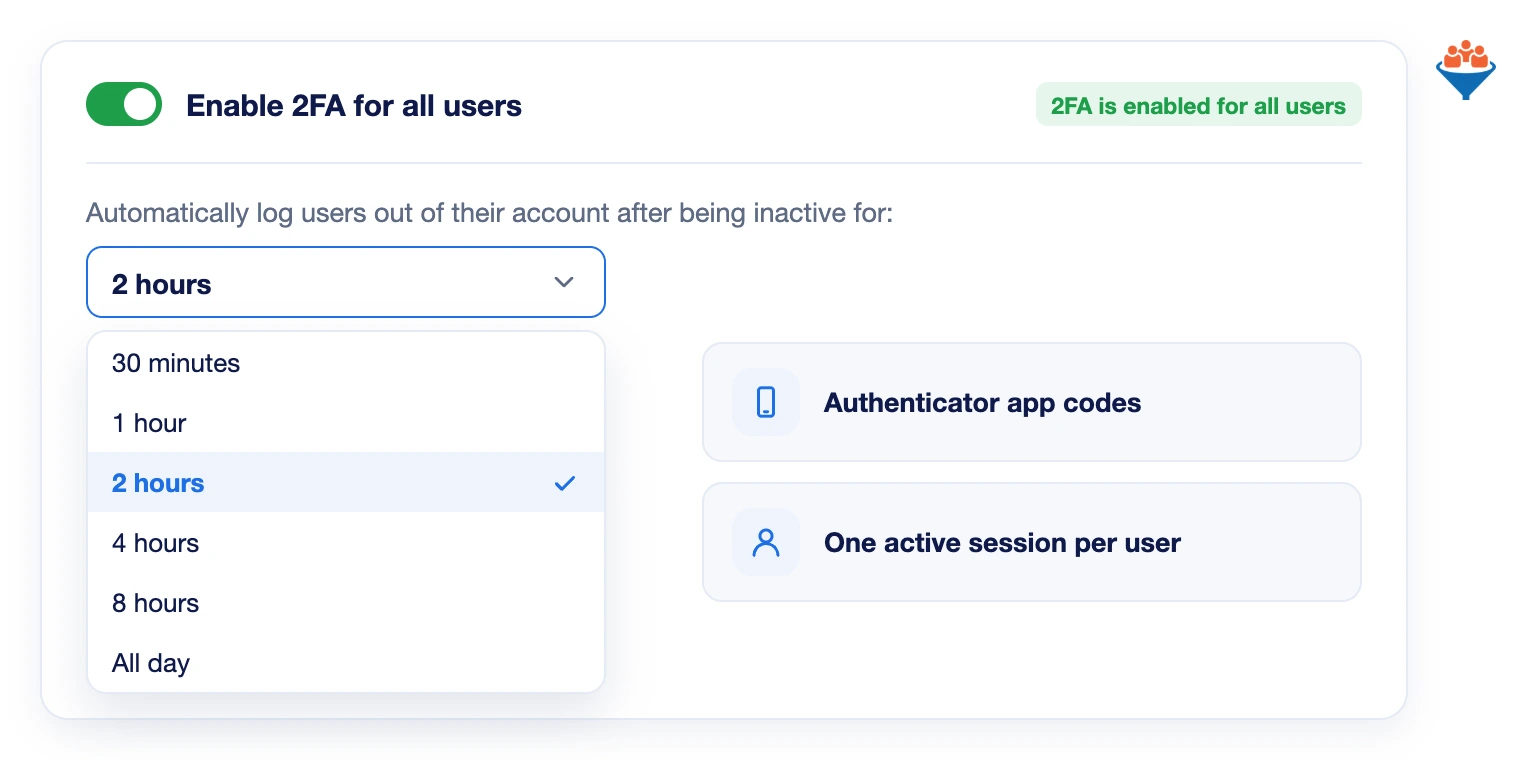
Require two-factor authentication for every user with one switch. Each login then needs a code from an authenticator app.
Idle users are logged out after 30 minutes to a full day, your choice. Each user can be in one session at a time.
See Who Logged In and From Where
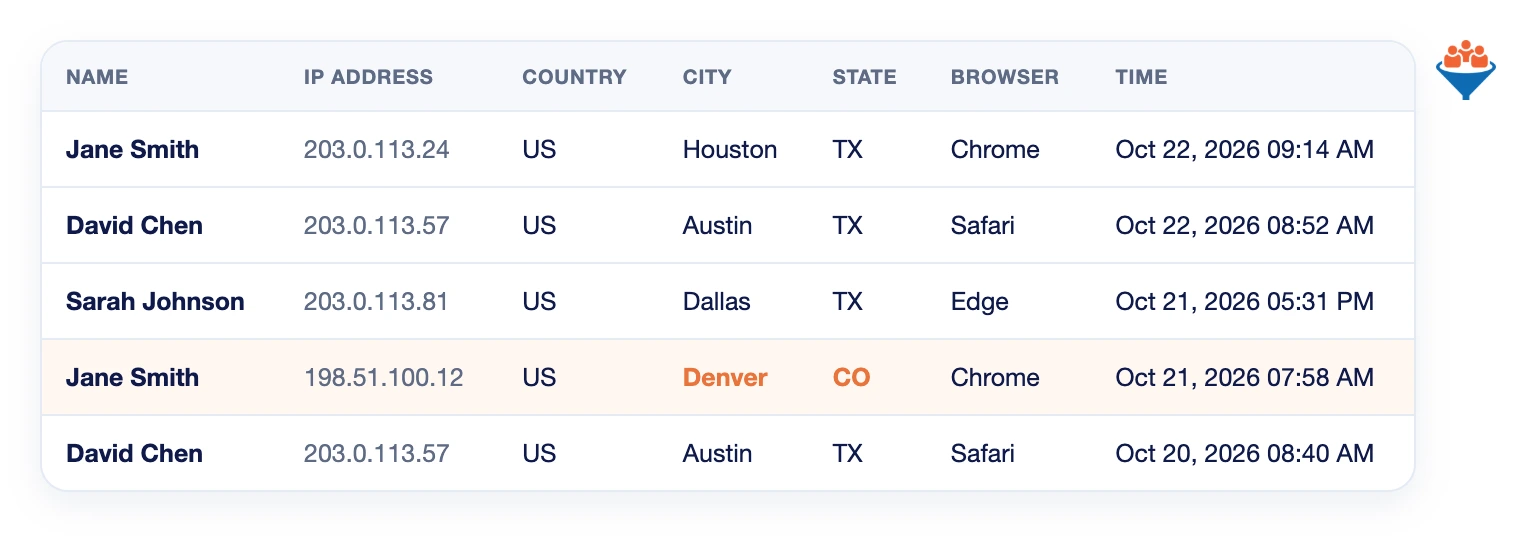
The Login activities page lists every sign-in to your account. Each entry shows the user, IP address, country, city, state, browser and time.
A login from an unexpected city stands out at a glance.
Give Each Person the Right Access
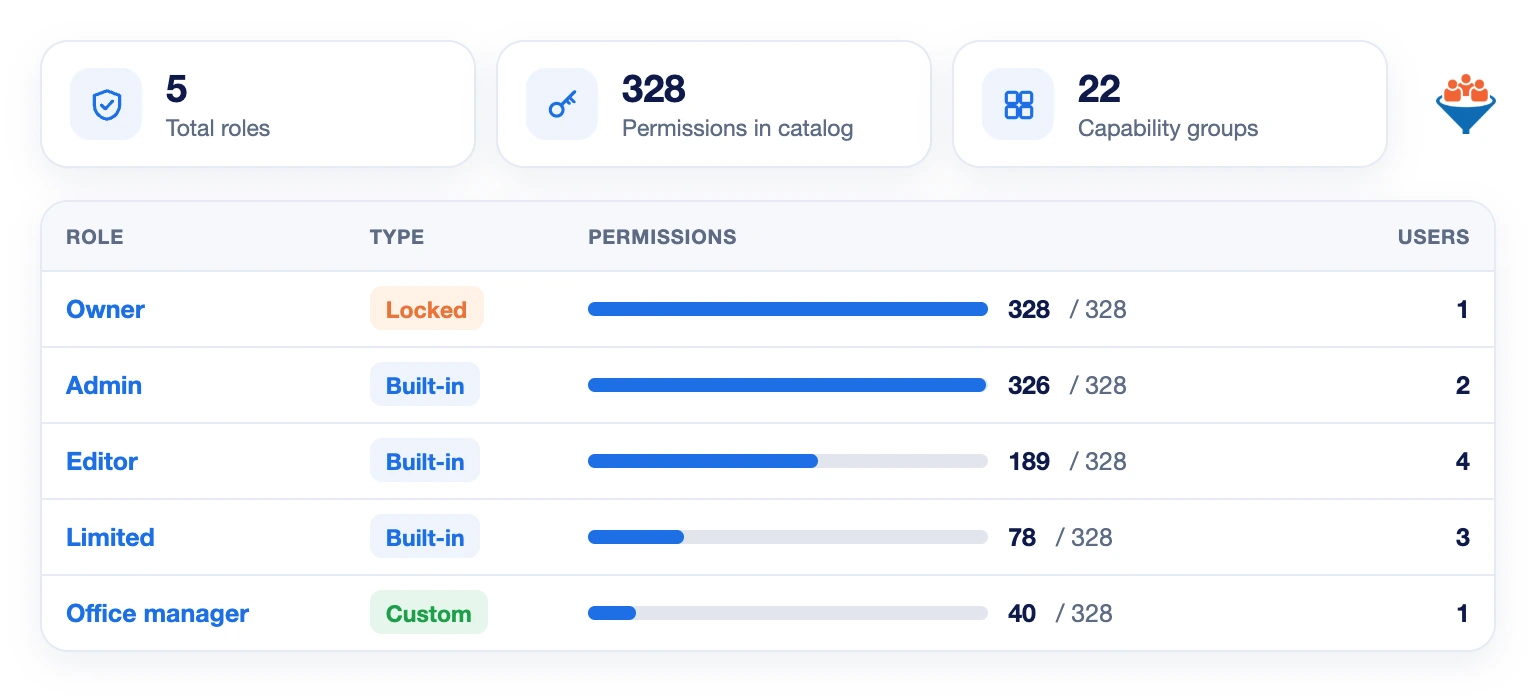
Assign each user a role: Owner, Admin, Editor or Limited. Or build a custom role with only the permissions a job needs.
Limited users see only the contacts and records they own or are assigned to.
Track Every Change in the Audit Log
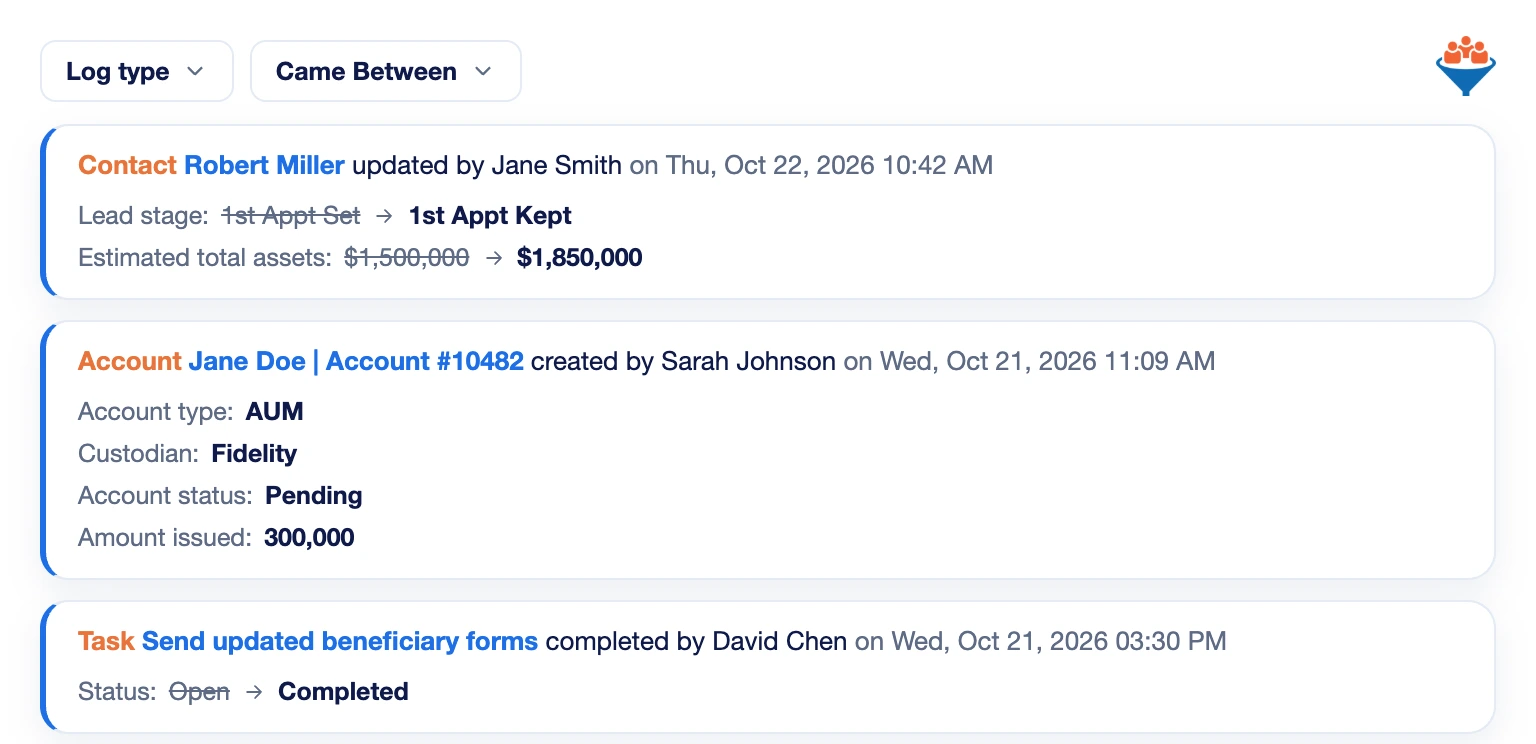
The audit log shows who changed a contact, appointment, financial account, task or workflow, and when. You see the old and new values.
Filter by log type and date, or open a contact to see its own change history.
Archive Texts, Emails and Transcriptions
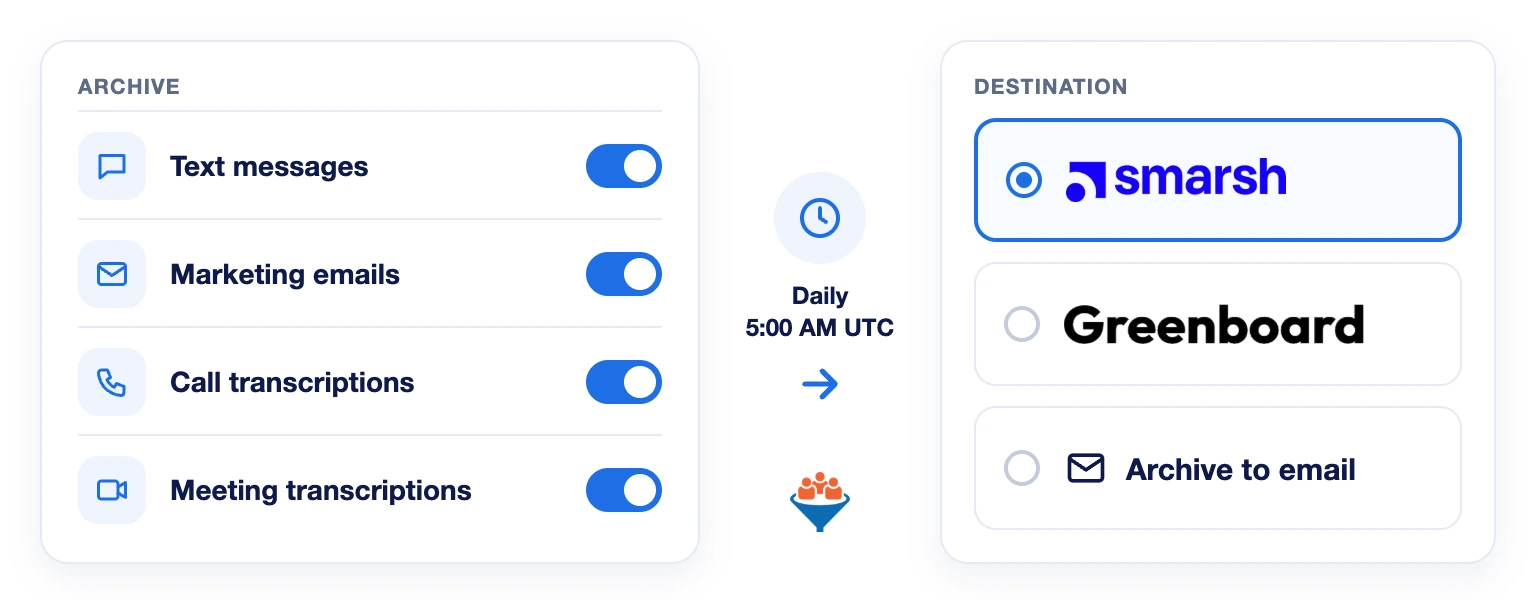
Send text messages, marketing emails, and call and meeting transcriptions to Smarsh, Greenboard or an archive email inbox.
LeadCenter archives the previous day’s communications every day at 5:00 AM UTC.
Decide How Long AI Recordings Are Kept
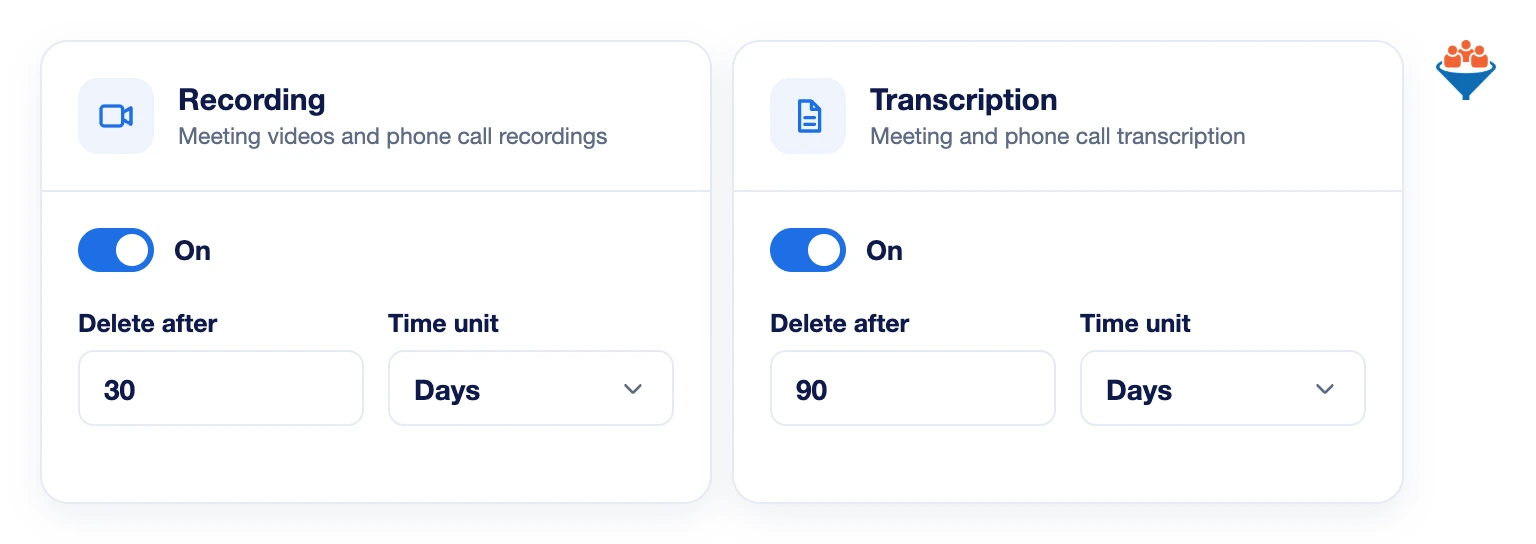
Set retention policies for Claudia AI recordings and transcriptions. Delete them right away, or after a number of hours, days or weeks.
Each policy applies to existing and future data for all users. LeadCenter does not use your account data to train its AI models.
Yes. LeadCenter.AI is SOC 2 certified for security, availability and confidentiality. Email support@leadcenter.ai to request a copy of the audit report.
All traffic is encrypted and passwords are never stored in plain text.
Yes. Admins can turn on 2FA for all users in the account. Each user then signs in with a code from an authenticator app on their phone.
Yes. The audit log shows what changed, who made the change and when. Each contact also has its own change history on its detail page.
The Cloud Application Security Assessment from the App Defense Alliance, led by Google. Tier 2 includes third-party lab verification of security controls for apps that connect to Gmail, Drive or Calendar. LeadCenter.AI completed it in February 2026.
Protect Your Client Data
Certified security, access controls and a full audit trail, built into LeadCenter.
Automate your marketing, sales, and operations processes and increase your lead-to-business conversion rates with a fully automated platform designed specifically for financial advisors.