Document Storage and Secure Client Portal for Financial Advisors
Keep every client document in organized folders, and give each client a secure portal on your own website to upload files and complete their financial questionnaire.
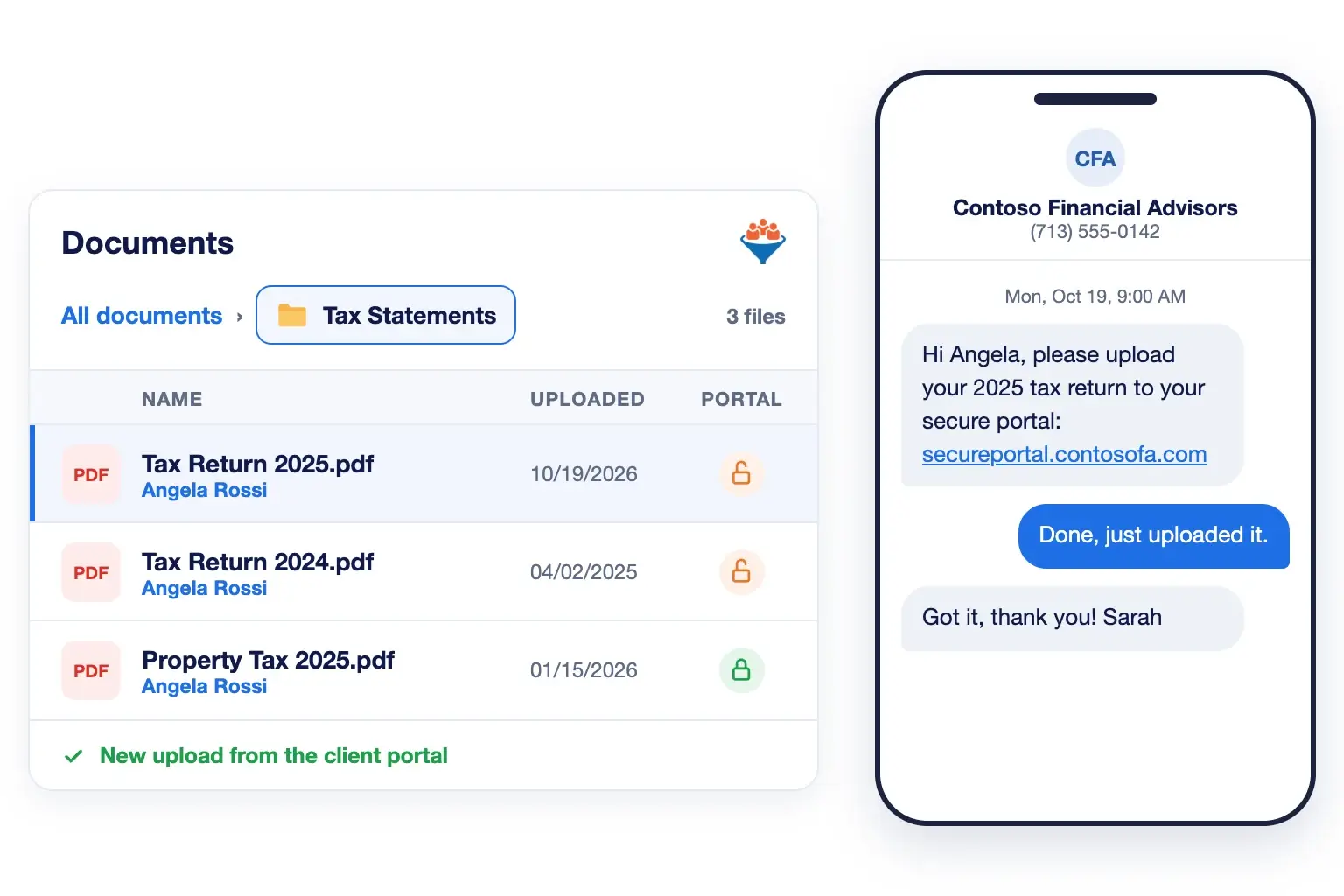
 Organized Folders
 Secure Client Portal
 Household Documents
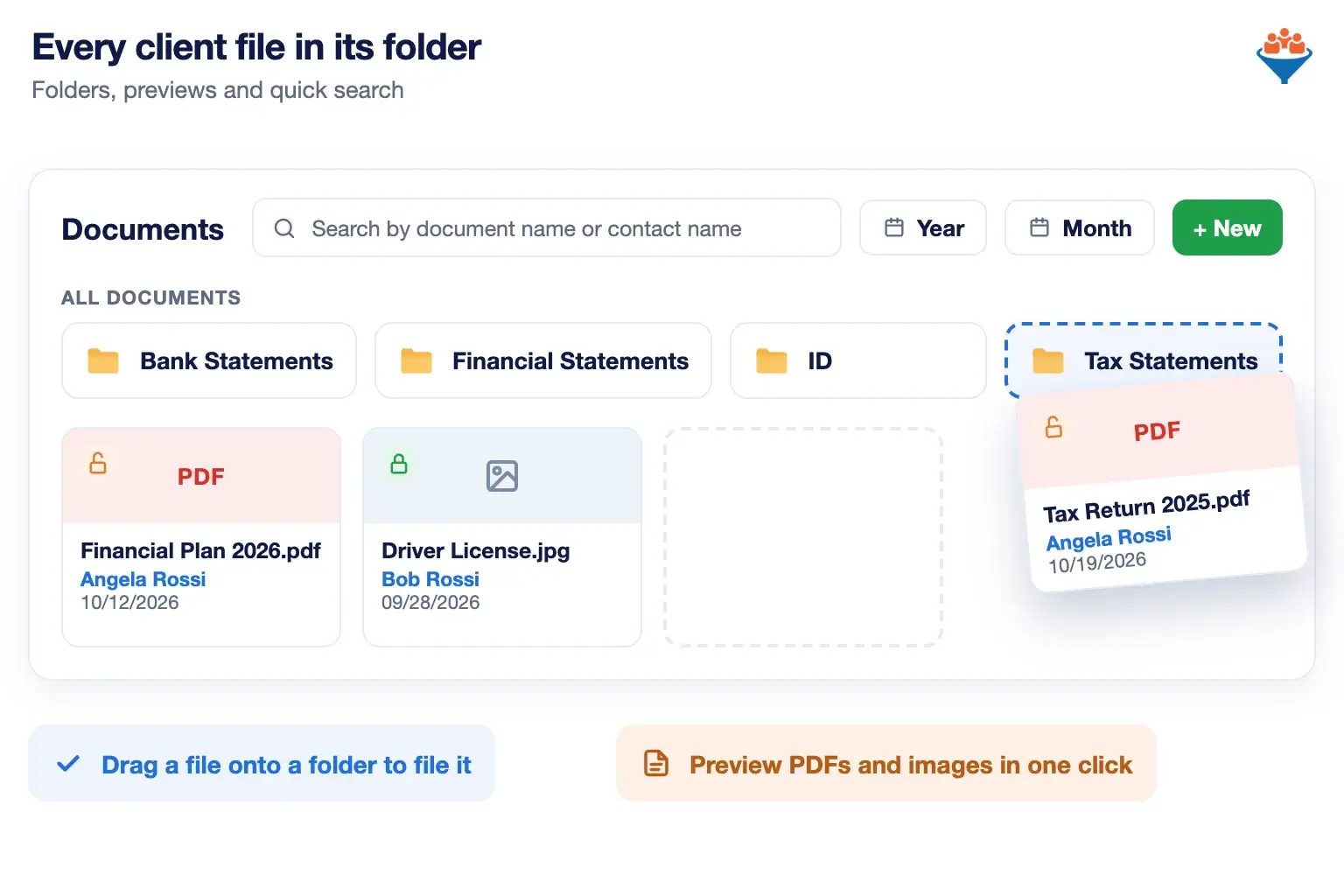
Every Client File in Its Folder
Each document category is a folder. Drag files into place, preview PDFs and images, and search by document or contact name.
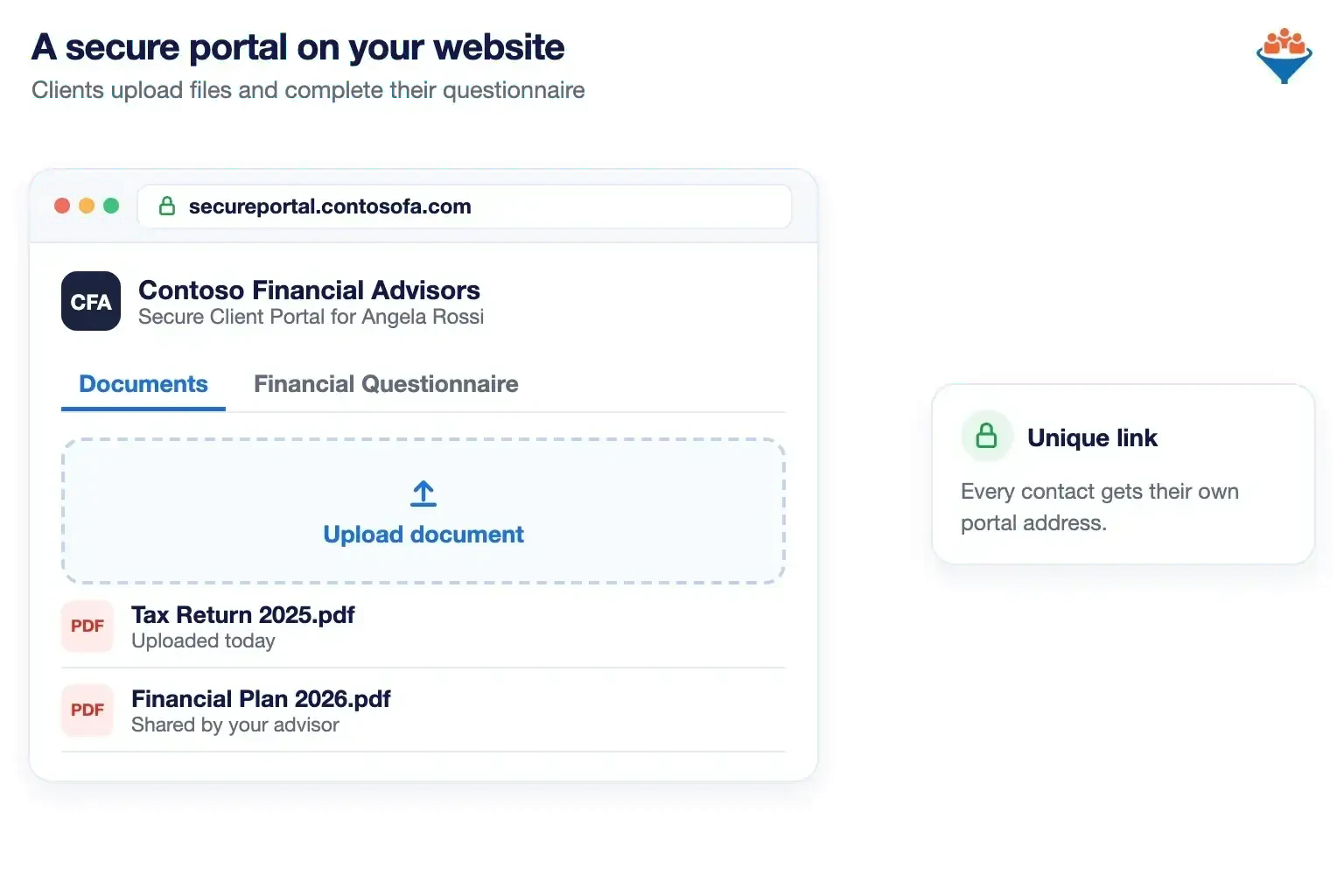
A Secure Portal on Your Own Website
Clients open the portal at your own address, such as secureportal.yourcompany.com, to upload documents and complete the financial questionnaire. Each client gets a unique link.
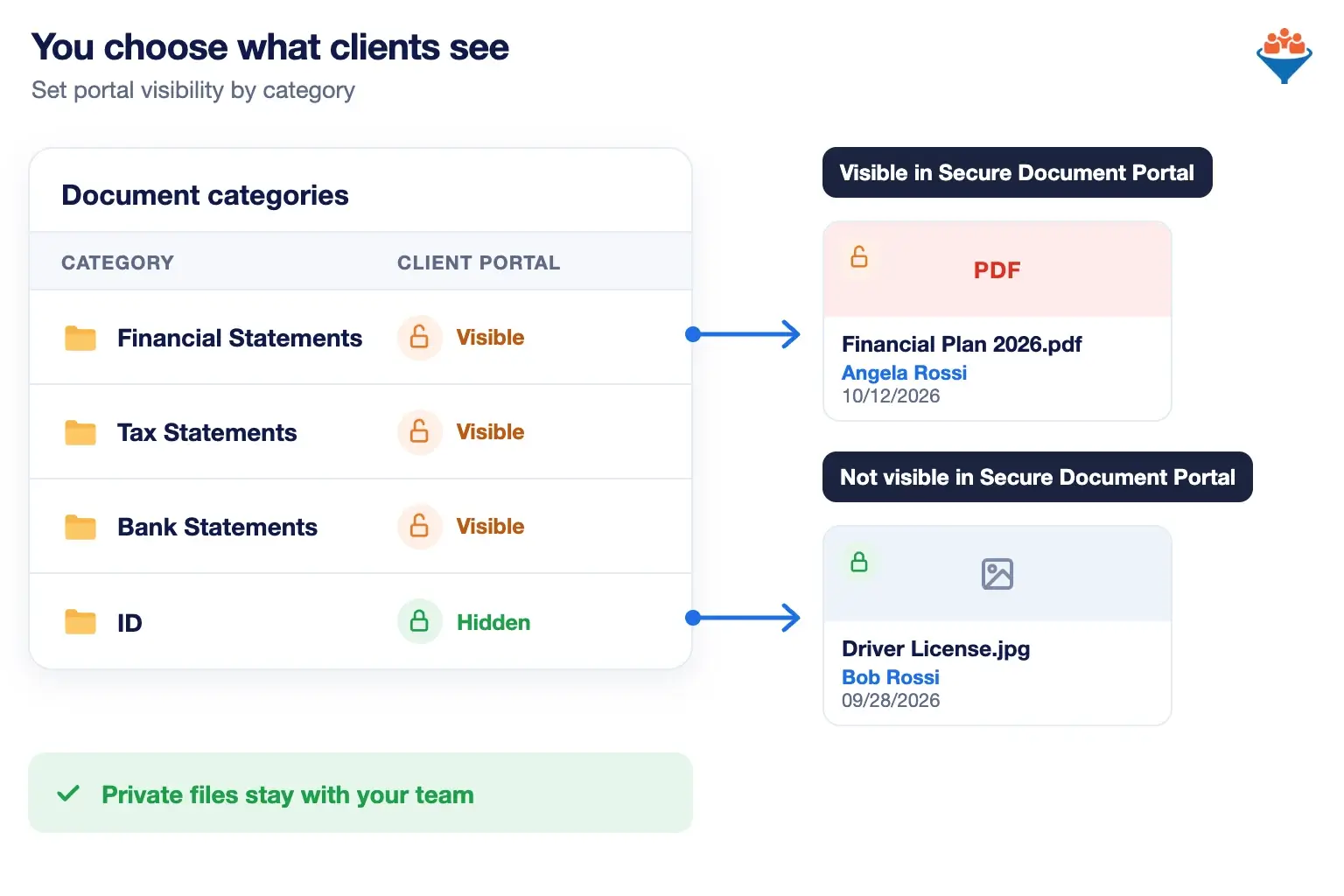
You Choose What Clients See
Set which document categories appear in the portal. A lock on each file shows whether the client can see it, so private files stay with your team.
Frequently asked questions
What is the LeadCenter Secure Client Portal?
A client-facing portal on your own website, such as secureportal.yourcompany.com. Clients use it to upload documents and complete the financial questionnaire.
How do clients get their portal link?
Each client has a unique portal link that you can add to any email or text template. The Document Storage help article shows how.
How do I set up the portal on my domain?
Open Settings, then Basic settings, then Secure client portal, and enter your domain. The Document Storage help article walks you through the rest.
Can I see a whole household's documents?
Yes. On a contact's Documents tab, switch between This Contact and Household to see the files for everyone in the household.
Can I link client files I keep in Box?
Yes. Link a Box folder or file to a contact, and it shows at the top of their Documents tab. Your files stay in Box.
Keep Every Client Document Organized and Secure
Collect, organize and share client documents in one place, with a secure portal your clients use on your own website.
LeadCenter CRM, anywhere you go
Access your contacts, calendar, and tasks on the go with the LeadCenter mobile app for iOS and Android.