Gravity Forms Integration for Financial Advisors
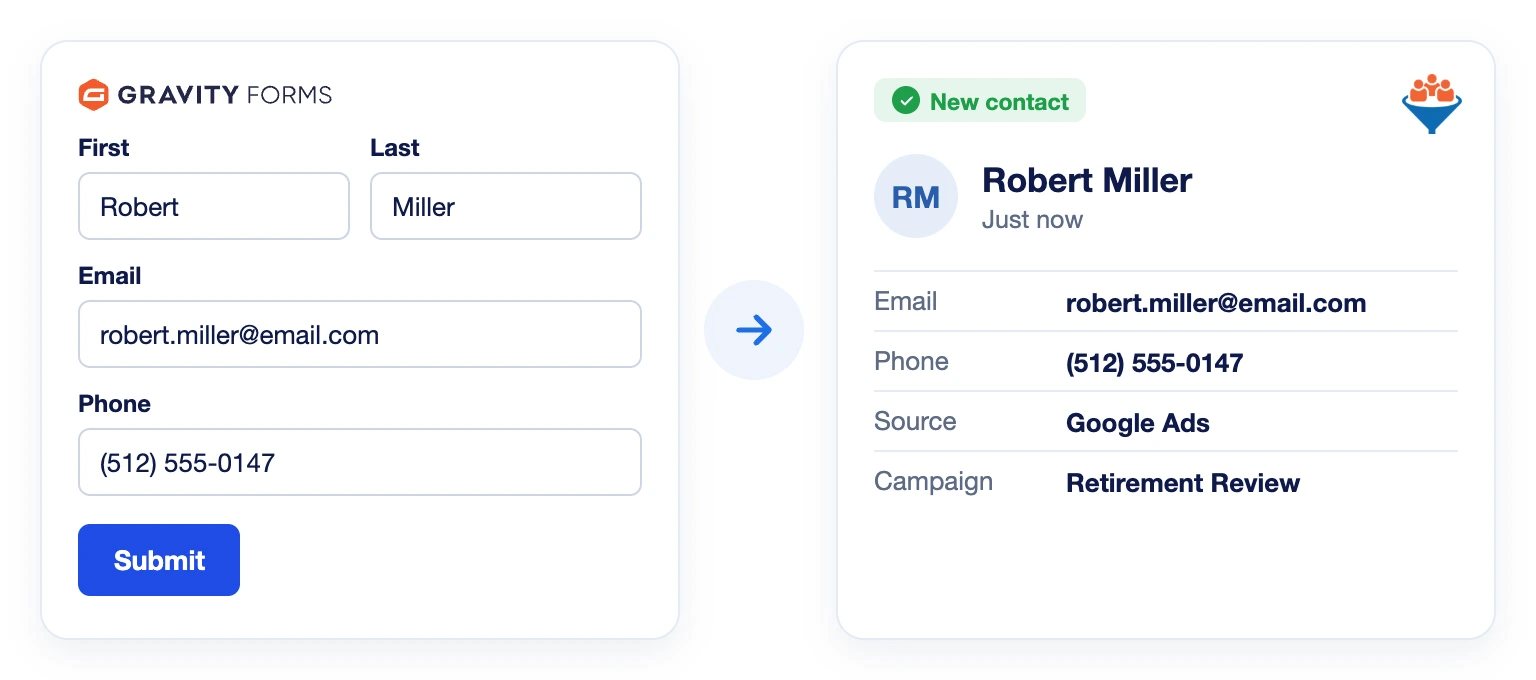
Keep the Gravity Forms you already use. Every submission becomes a contact in LeadCenter, with its source and campaign.
 No Rebuild Needed
 Fields Mapped by Troy AI
 Source on Every Contact
Keep the Forms You Already Built
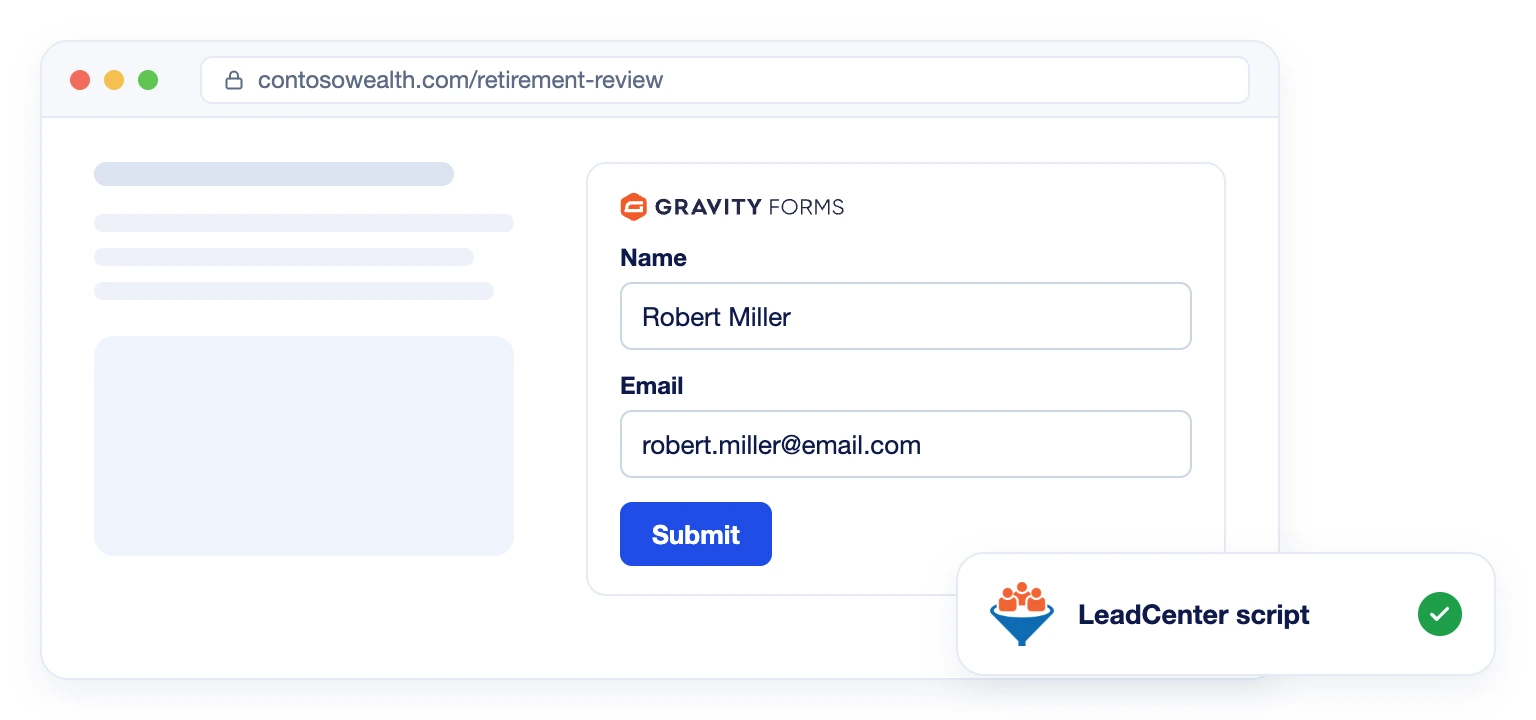
Add the LeadCenter script to your WordPress site once, in the header or footer. It listens for submissions and creates a contact. Your Gravity Forms notifications and confirmations keep working as before.
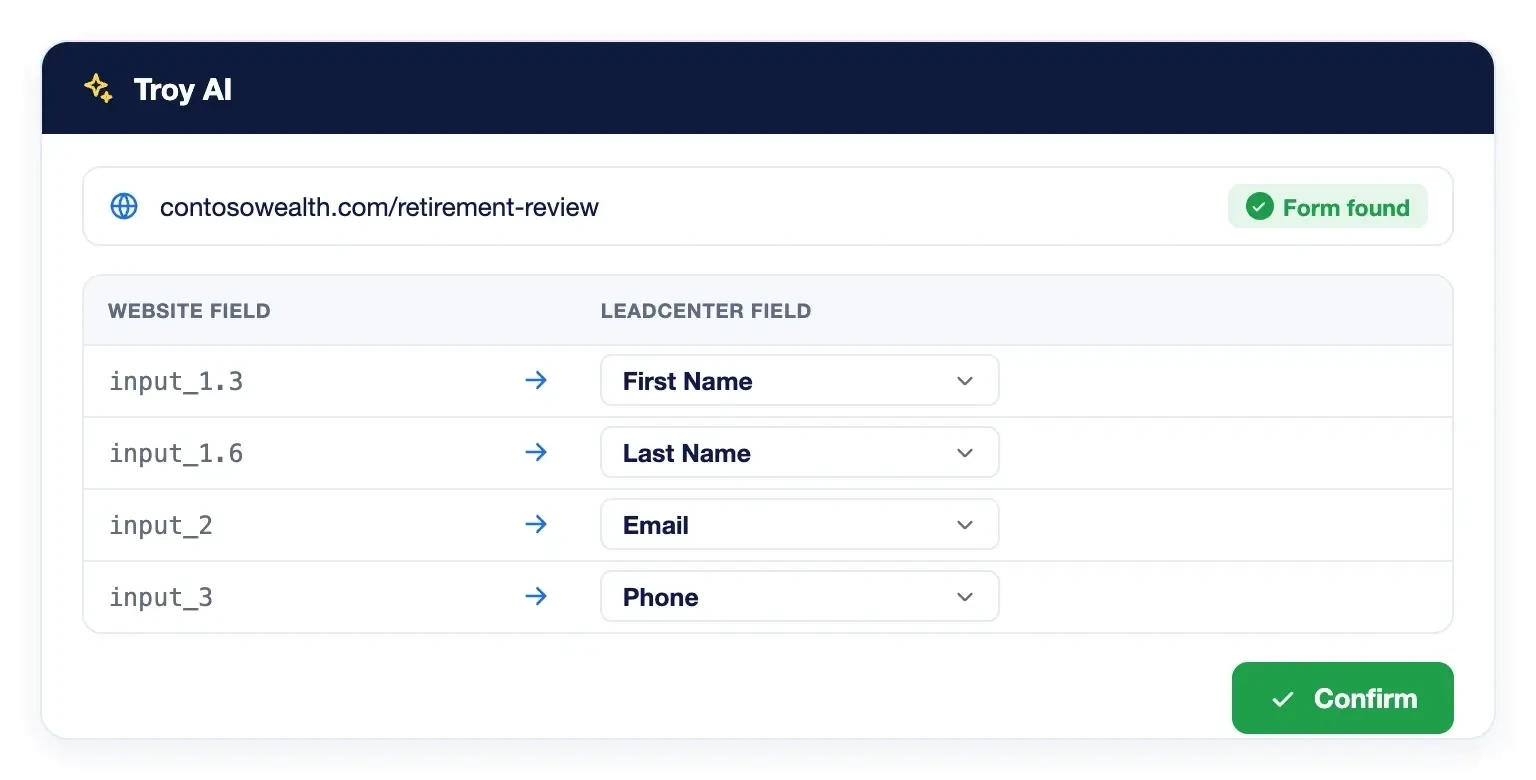
Let Troy AI Connect Each Form
Paste the page URL into Troy AI. It finds the form, checks the script and suggests which field fills each LeadCenter field. You review the mapping and confirm. Nothing is saved until you do.
Know Where Every Contact Came From
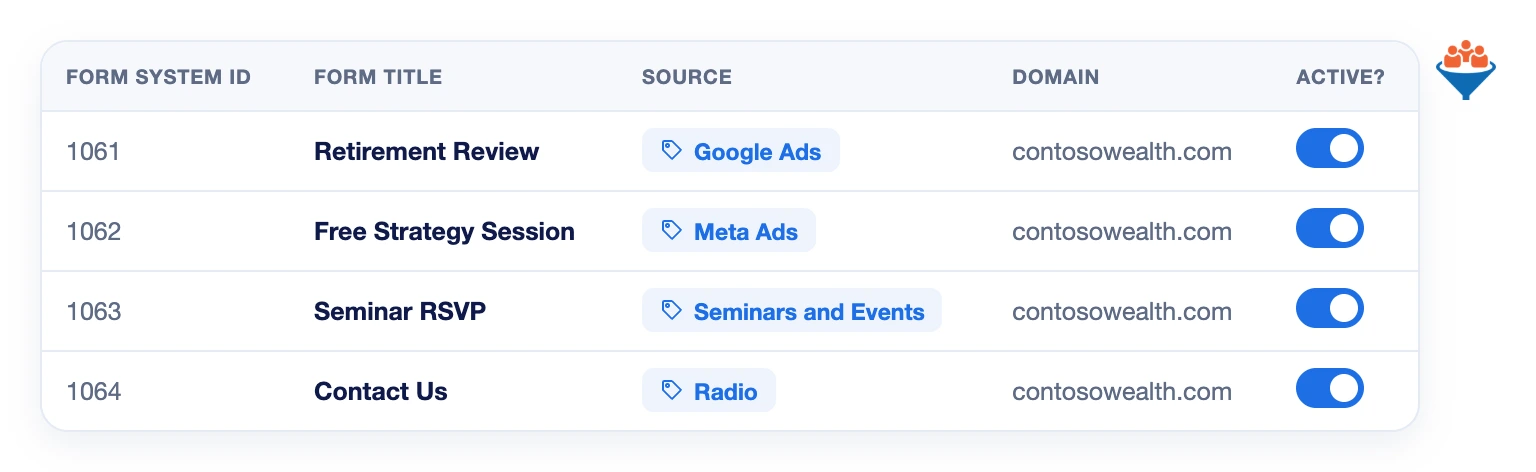
Give each form a default source and campaign, so no submission shows up as Unknown. Add UTM parameters to your ad links for more detail on paid channels.
Every Submission in One Place
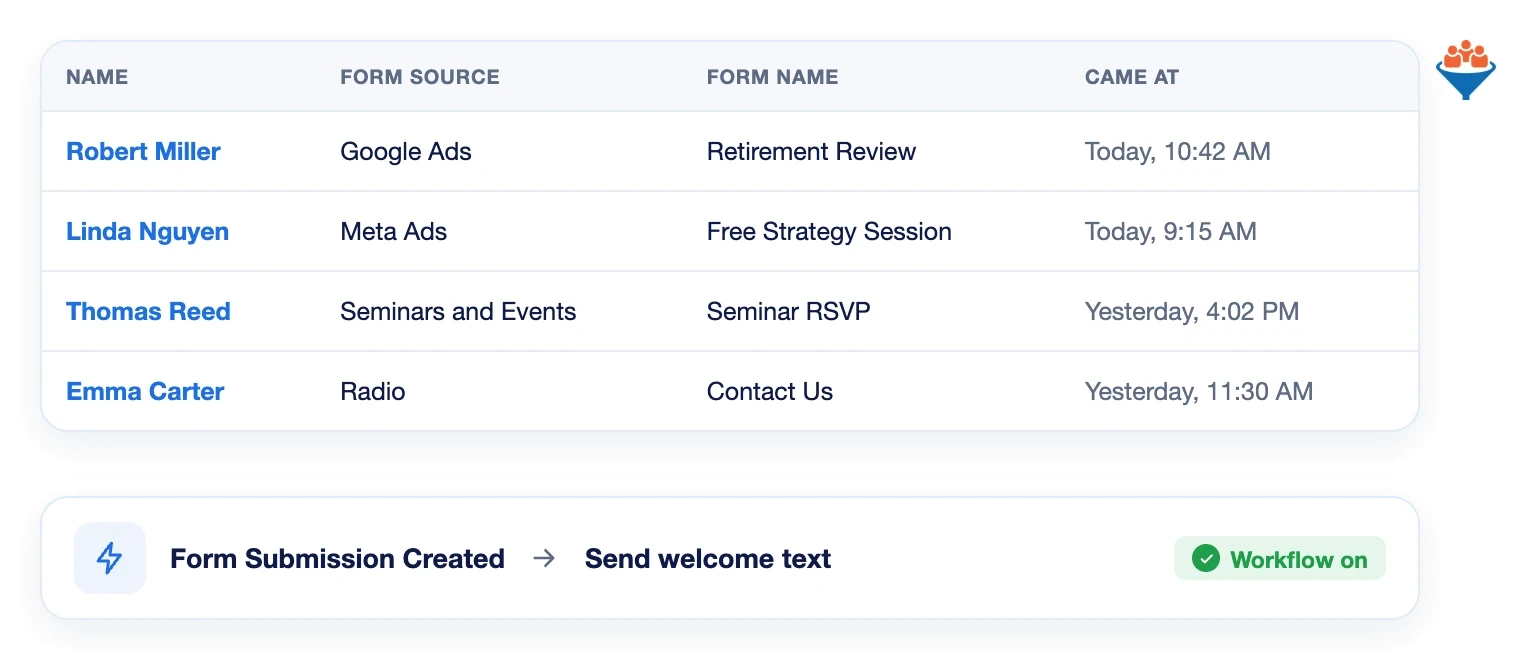
New and updated contacts land in your sales pipeline. The Form Submissions page lists every entry with its source. A new submission can also start a workflow, such as a welcome text.
Frequently asked questions
Do I need to rebuild my Gravity Forms?
No. LeadCenter works with the forms you already have. Register each form in LeadCenter and map its fields.
Where do I add the LeadCenter script?
Site-wide, in the header or just before the closing body tag. On WordPress, a header and footer plugin such as WPCode keeps it in place when you change themes.
Will my Gravity Forms email notifications still send?
Yes. LeadCenter does not change how your form works or the emails it sends.
Does it work if my form submits without reloading the page?
Yes, in most cases. If your form uses a custom submit button or script, contact LeadCenter support.
What if a form stops sending contacts?
Ask Troy AI to check it. Troy checks that the form is active, still matches the live page, has valid mappings and has the script installed. Retest after theme or plugin updates.
Turn Gravity Forms Entries Into Contacts
Connect the forms you already have and see where every new contact came from.
LeadCenter CRM, anywhere you go
Access your contacts, calendar, and tasks on the go with the LeadCenter mobile app for iOS and Android.