Roles and Permissions for Your Advisory Firm
Give each person on your team the access their job needs. Start from built-in roles or build your own, and decide who sees which contacts, accounts and reports.
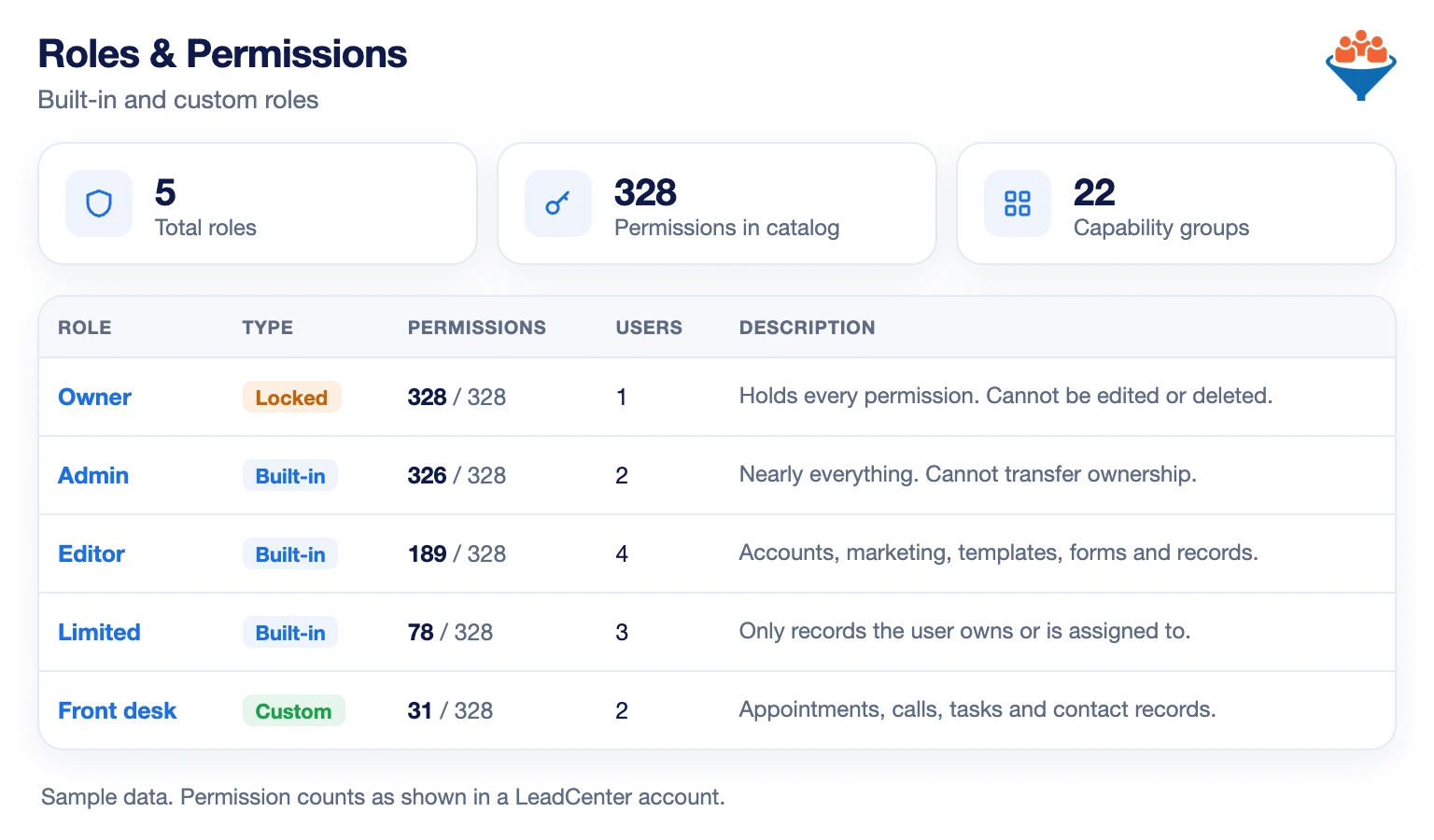
 Built-In Roles
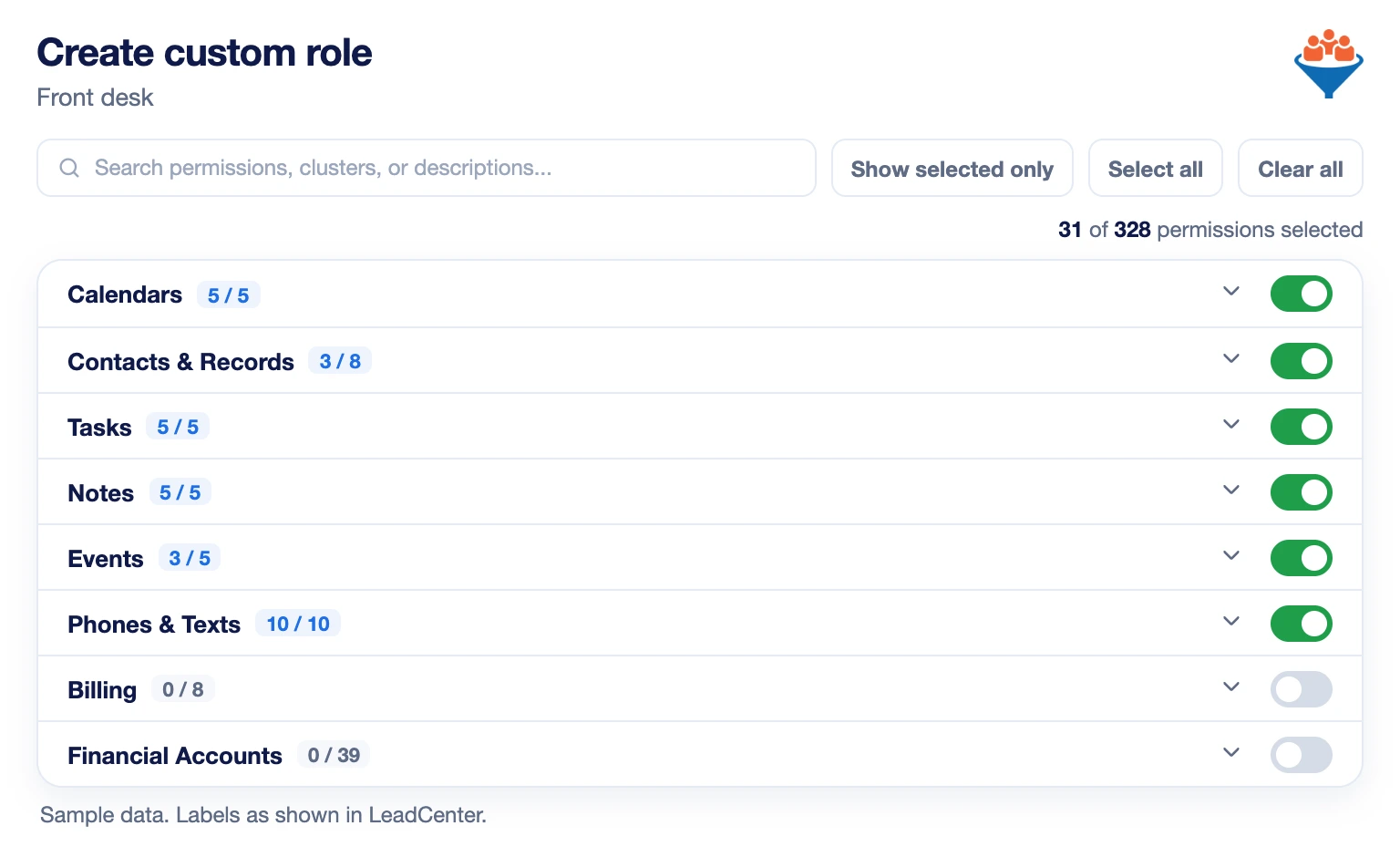
 Custom Roles
 Record Access
Build a Role Around Each Job
Permissions are grouped by capability, such as Calendars, Contacts & Records, Marketing, Financial Accounts and Billing. New custom roles start with nothing selected, so you add only what the job needs. LeadCenter hides the pages, fields and buttons a role doesn’t include.
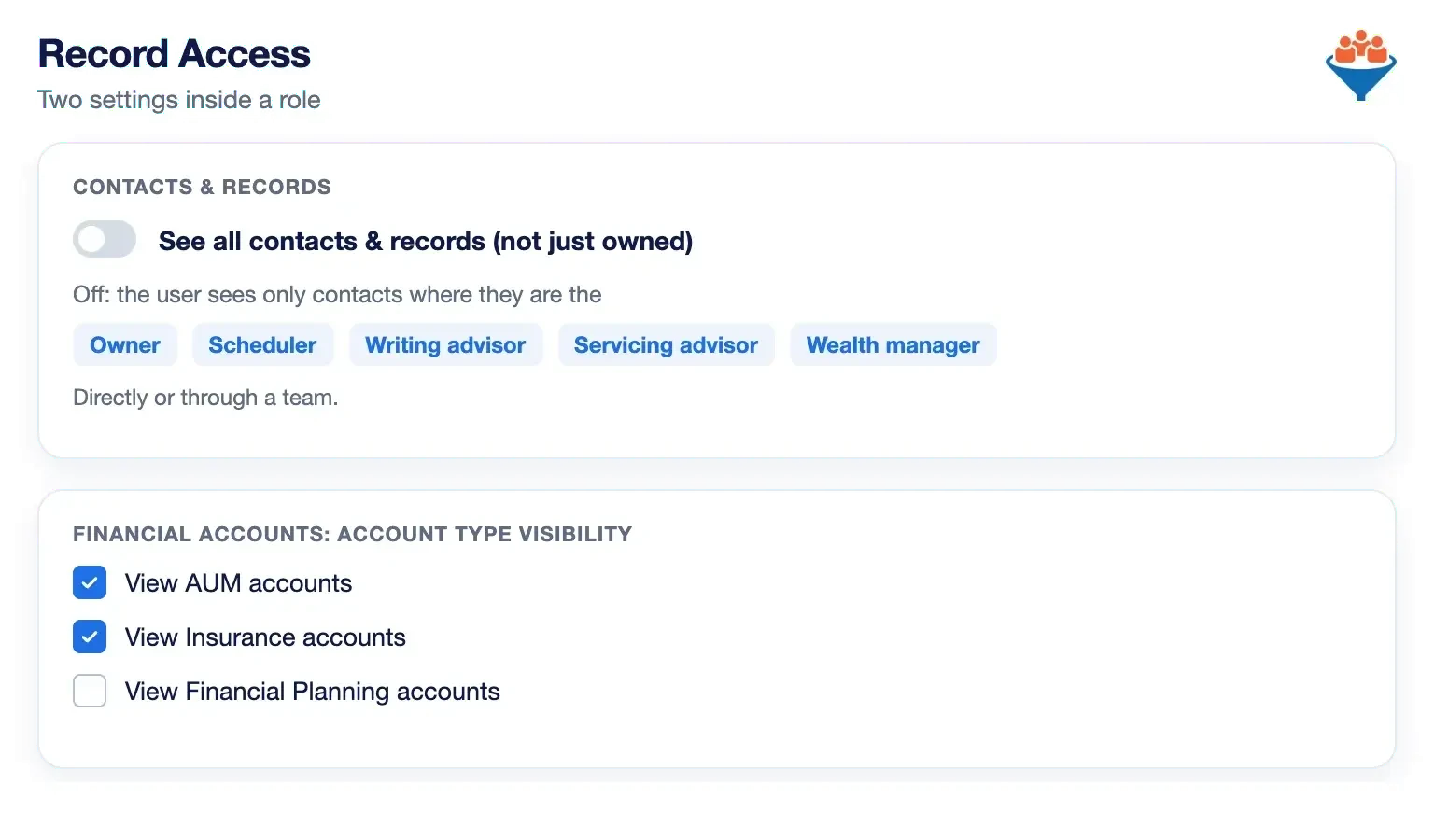
Decide Who Sees Which Records
With See all contacts & records turned off, a user sees only contacts where they are the owner, scheduler, writing advisor, servicing advisor or wealth manager, directly or through a team. Account Type Visibility controls whether they see AUM, insurance or financial planning accounts, and commission and fee amounts stay hidden unless the role includes them.
Assign Roles to Your Team
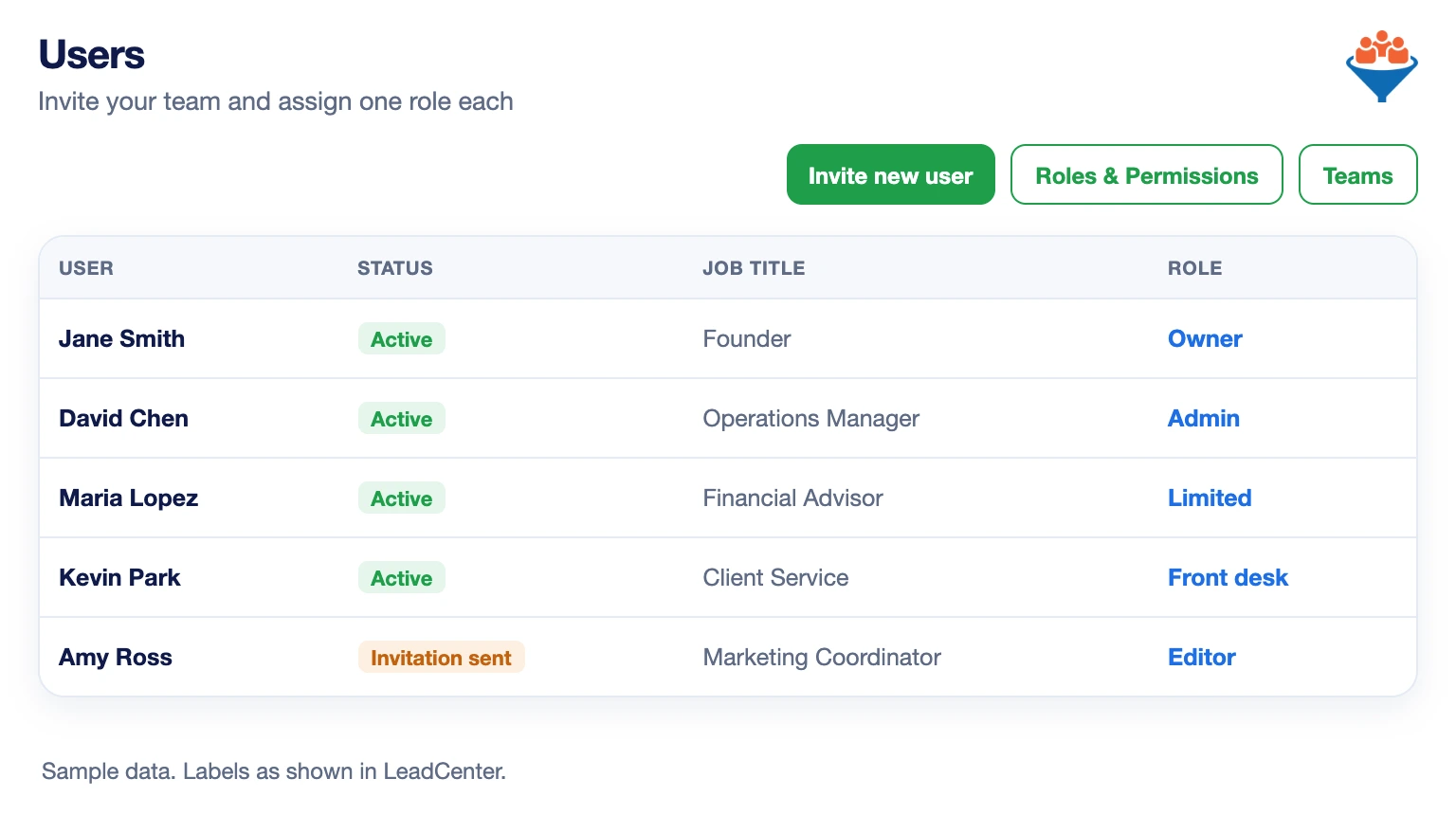
Invite users from the Users page with their name, email, job title and role. Each user has exactly one role, and you can change it, deactivate or reactivate a user, or resend an invitation at any time. When a team is assigned to a contact, every current member of that team gets access.
Frequently asked questions
What roles come built in?
Owner, Admin, Editor and Limited. Owner holds every permission and can’t be changed. Admin, Editor and Limited can be adjusted for your account but not deleted.
Can I create my own roles?
Yes. Go to Settings, then User & teams, then Roles & permissions, and click Create custom role. Give it a name and description, tick the permissions it needs and save.
Can a user see only their own clients?
Yes. Leave See all contacts & records off and the user sees only contacts they own or are assigned to as scheduler, writing advisor, servicing advisor or wealth manager.
Who can manage roles?
Users whose role includes role management, usually the Owner or an Admin.
The Right Access for Every Role
Set up roles, permissions and record access for your whole team inside LeadCenter.
LeadCenter CRM, anywhere you go
Access your contacts, calendar, and tasks on the go with the LeadCenter mobile app for iOS and Android.