LeadCenter workflows run on their own when a contact is created or updated, submits a form or books an appointment, so your team focuses on conversations, not manual tasks.
When a contact is created, submits a form, or books an appointment, LeadCenter triggers the right follow-up automatically. Emails, texts, and tasks fire based on what the contact did, no manual input needed.
Build Workflows Around How Your Practice Works
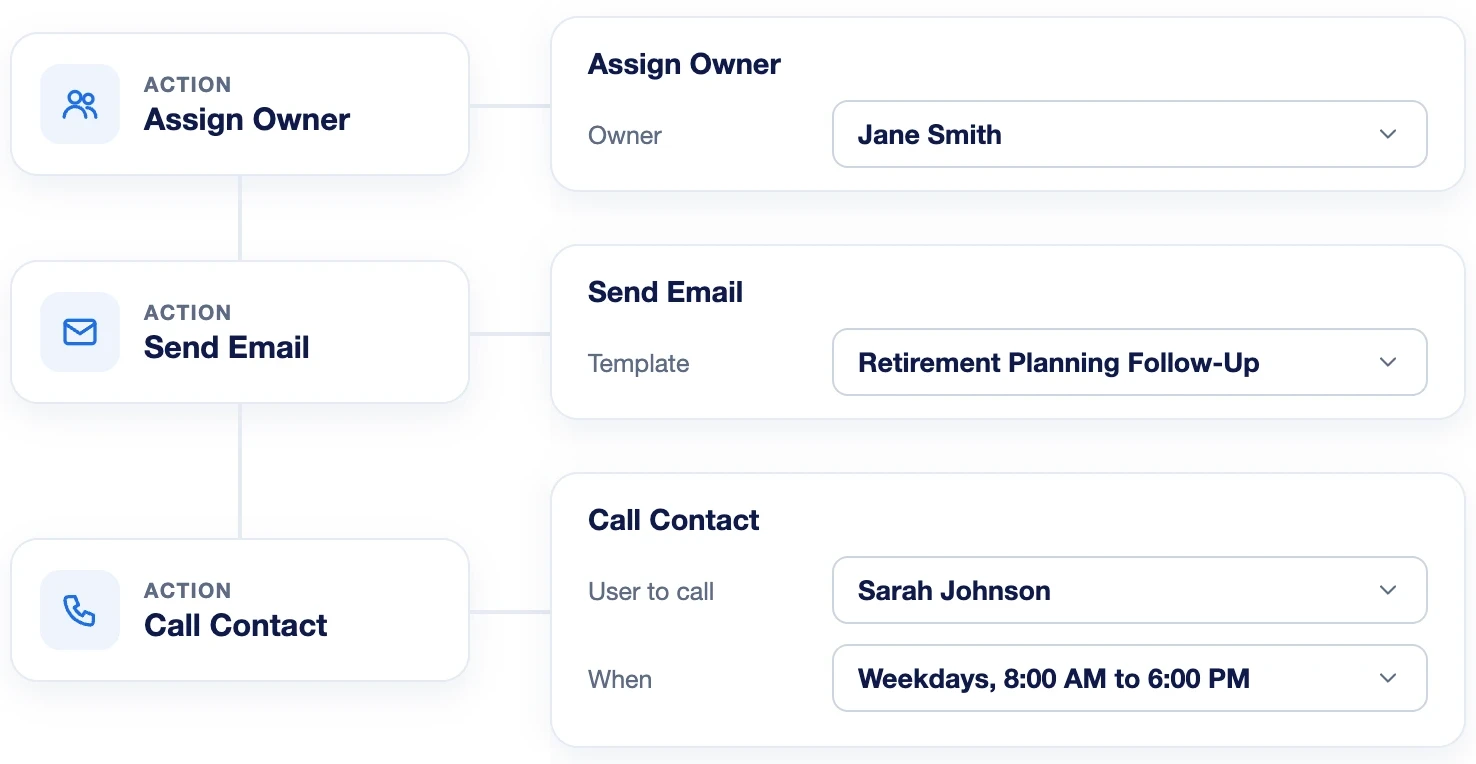
Create simple follow-up sequences or multi-step workflows from scratch. Start with a trigger such as Contact Created, filter to the contacts that match your rules, then add actions like assign owner, send email and call contact, all without writing code.
Workflows That Adapt to What Each Contact Does
Add a Wait step, then a Branch on whether the email was opened. Contacts who opened it get a call task for your team, and the rest get a friendly follow-up text.
Workflows send the right follow-up at the right time, so more contacts become clients without manual work.
Yes. Workflows are fully customizable, allowing financial advisors to tailor them to fit the unique needs and steps of their practice.
You can automate a wide range of actions including sending emails, creating tasks for follow-up calls, sending texts, and updating contact stage, all based on specific triggers that suit a financial advisor’s needs.
Conditional workflows allow you to create flexible pathways that adapt to how each contact responds, ensuring relevant and timely engagement.
Automate your marketing, sales, and operations processes and increase your lead-to-business conversion rates with a fully automated platform designed specifically for financial advisors.