Virtual Phone Numbers Built for Financial Advisors
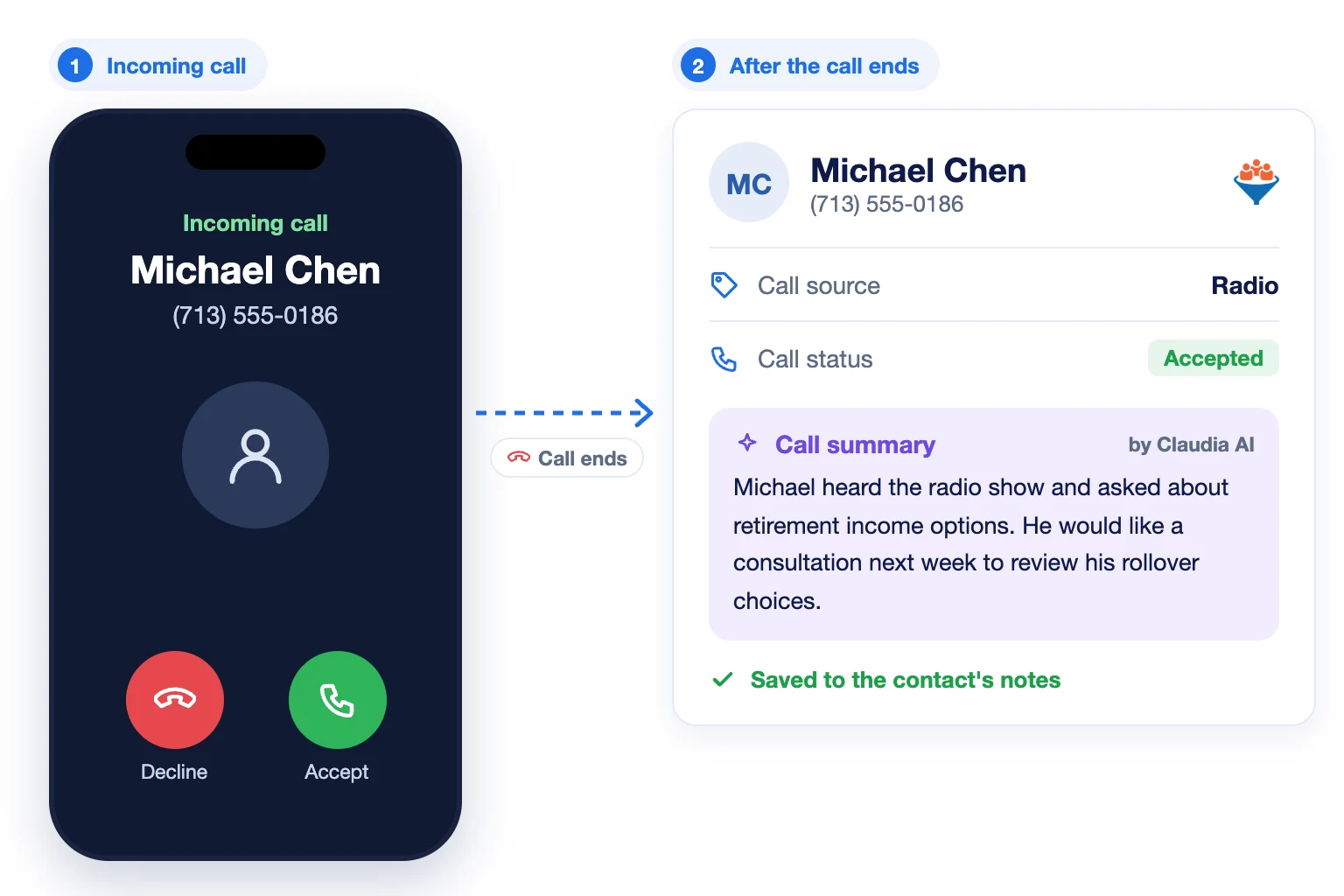
Identify the source of inbound calls and let Claudia AI summarize each eligible call after it ends.
 Improved Contact Qualification
 Multi-Channel Integration Capabilities
 Nationwide Accessibility
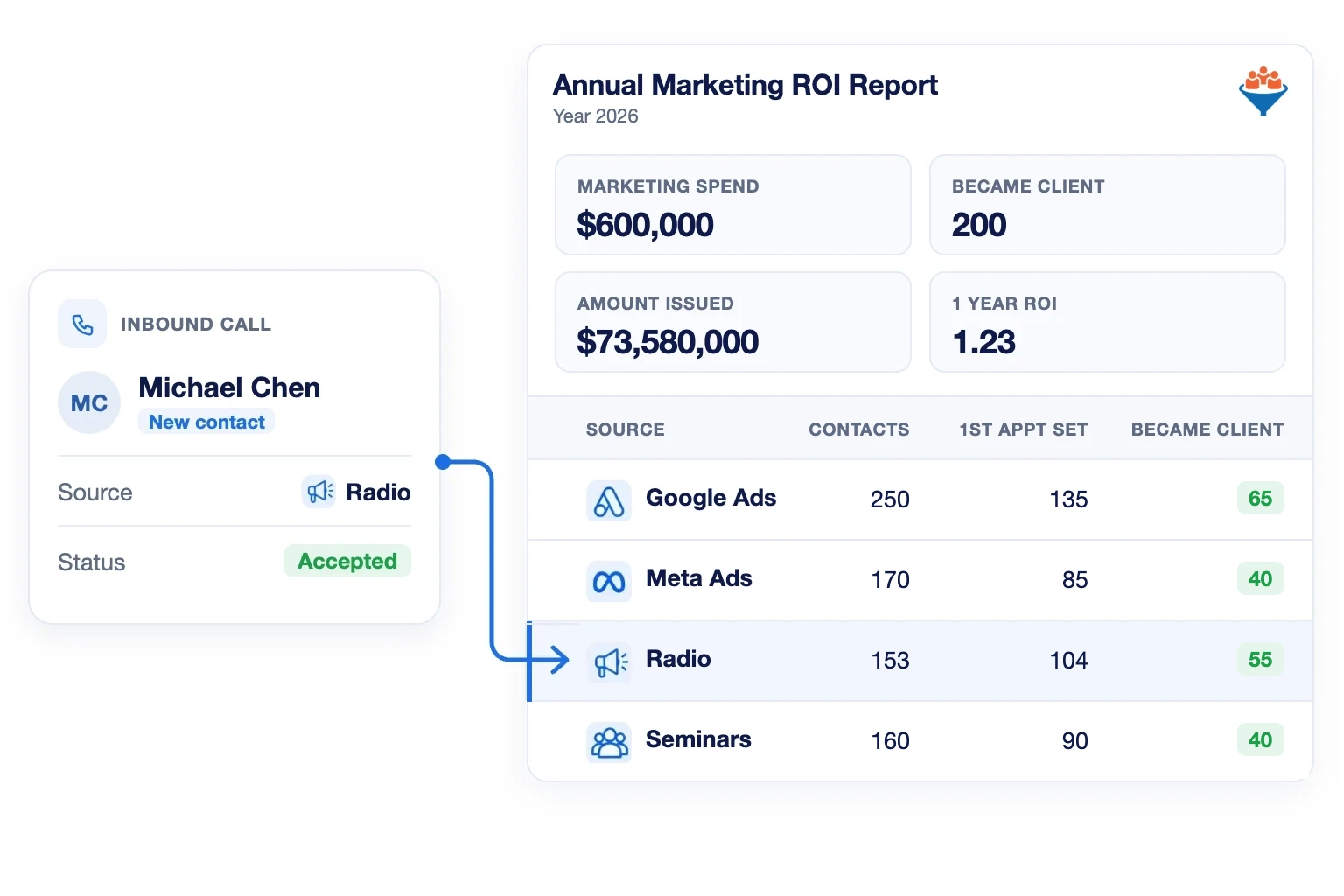
Track Your ROI with Call Attribution
Assign a number to each source, and every call and new contact is credited to it in the Annual Marketing ROI Report.
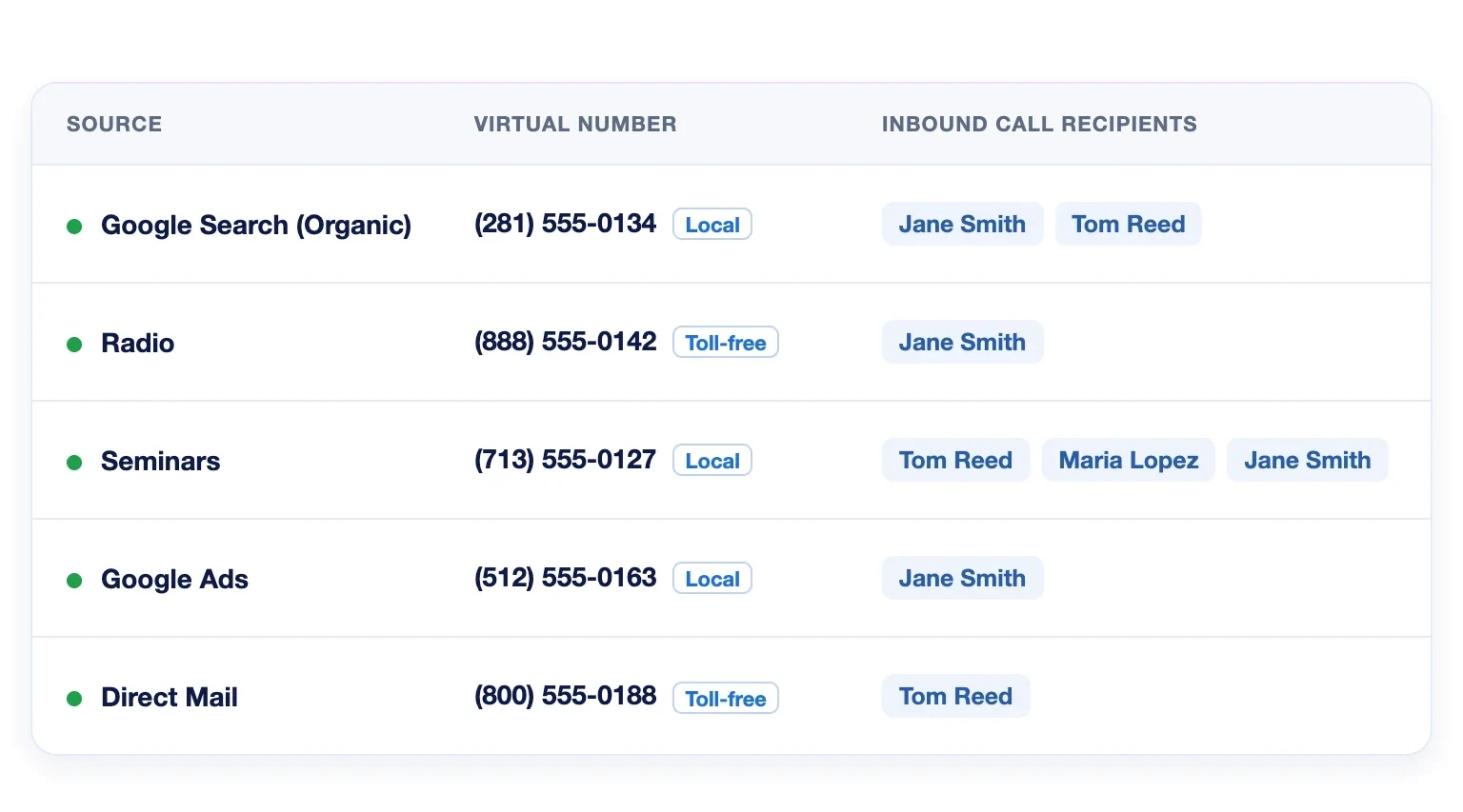
Local or Toll-Free Numbers for Every Campaign
Choose a local or toll-free number, forward calls to your office or cell phone, and pick who it rings in LeadCenter.
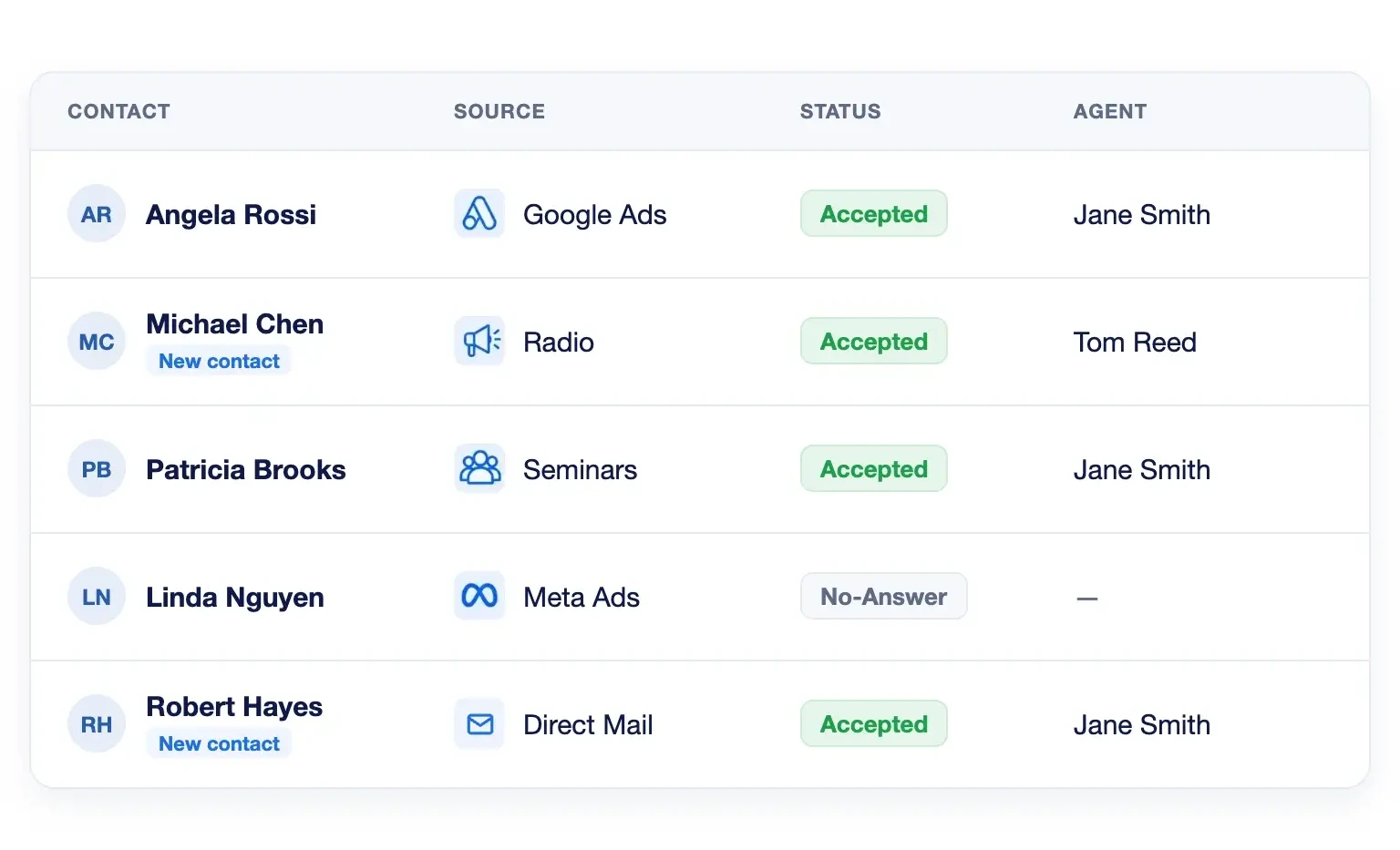
Track and Monitor Inbound Calls with Ease
See every inbound call with its contact, source, status and agent. New callers can become contacts automatically.
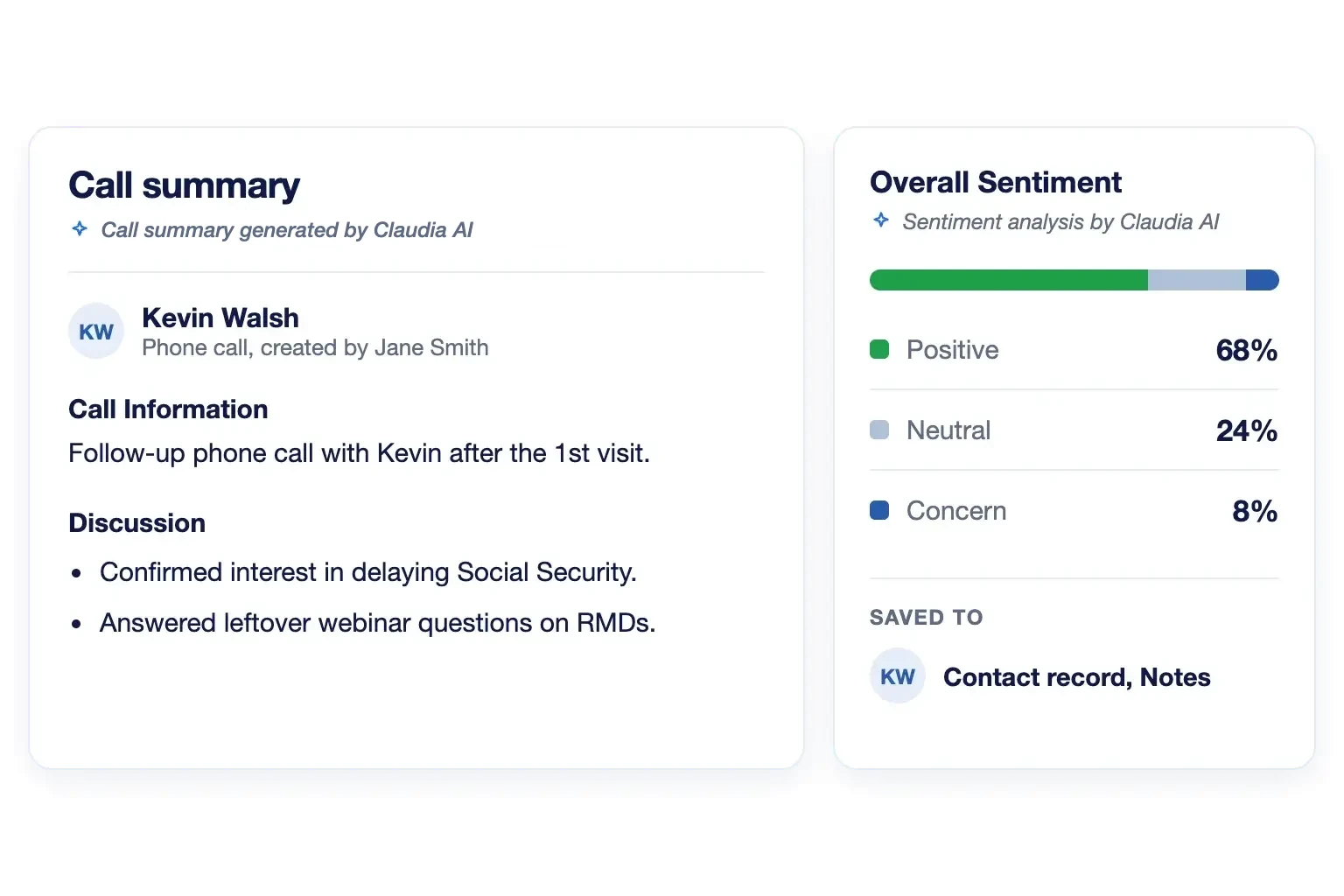
Call Intelligence with AI Call Summaries
After each eligible call ends, Claudia AI writes a call summary and sentiment analysis and saves them to the contact record.
Frequently asked questions
What is a virtual phone number?
A phone number that lives in LeadCenter instead of on a physical phone line. You assign it to a marketing source, use it in your campaign, and LeadCenter forwards calls to the destination you choose, such as your office or cell phone.
How does LeadCenter attribute calls to my marketing?
Each virtual number is assigned to a Source or Campaign. When someone calls that number, LeadCenter logs the call and attributes it to that source. Use a separate number for each major campaign for cleaner attribution.
Where do incoming calls ring?
You choose for each number. Calls can ring selected team members in LeadCenter, your mapped phone number, or both. You can also set after-hours ringing and send unanswered calls to LeadCenter voicemail.
What happens when someone new calls?
If the caller's number doesn't match a contact, LeadCenter creates a new contact. This is on by default and can be turned off for each number. When it's off, the call is still logged, and it's linked automatically if that contact is added later.
Can LeadCenter summarize my calls?
Yes. When call recording and transcription are enabled for a number, recorded calls are transcribed after they end and Claudia AI can write a call summary. Recording and transcription must be included in your subscription.
Can I make outbound calls from LeadCenter?
Yes. Open a contact and click the green Click-to-Call button near the Actions menu. Outbound calls are saved to the contact's communication history.
Which reports show call activity?
Use the Engagements Report and the Calls Export Report to review call activity, and the Outbound Calls Report for outbound calls. Contacts and clients from each source appear in the Annual Marketing ROI Report.
Never Miss a Call Again
Give every campaign its own number, see which sources bring in calls and clients, and answer calls right from LeadCenter.
LeadCenter CRM, anywhere you go
Access your contacts, calendar, and tasks on the go with the LeadCenter mobile app for iOS and Android.