Marketing and Contact Reports for Financial Advisors
See what each marketing source costs, how many contacts and clients it brings, and the return on every dollar you spend.
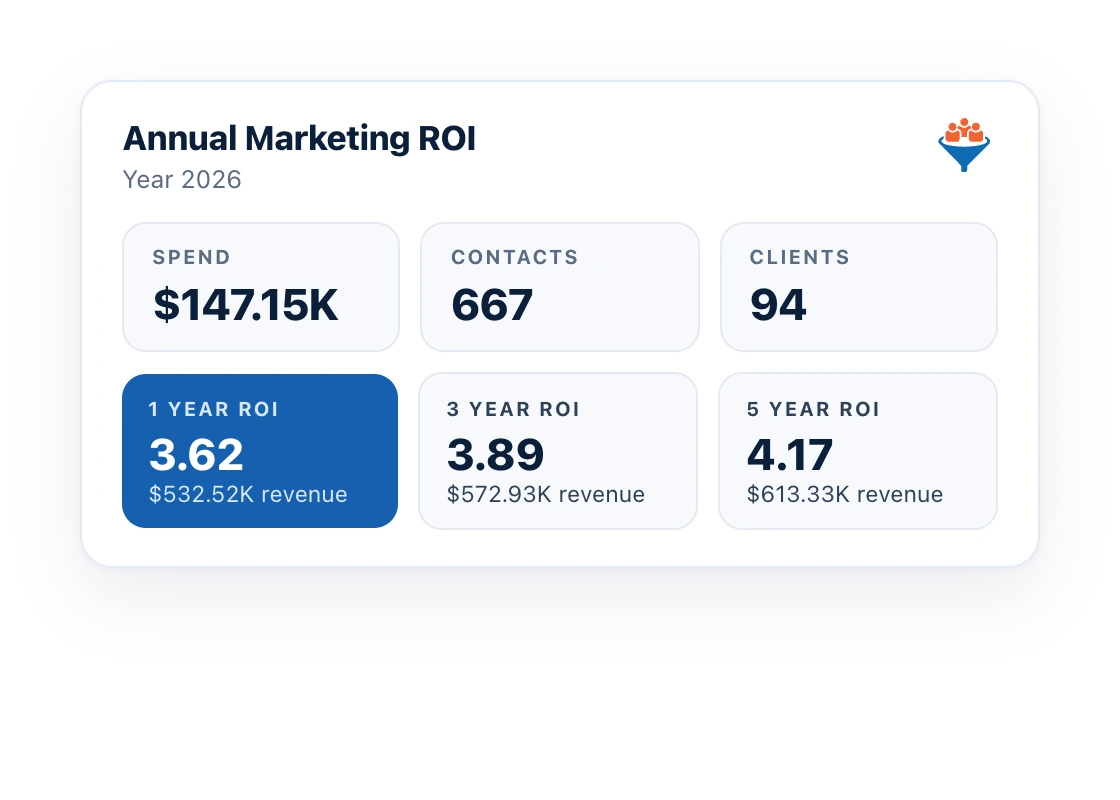
 ROI by Source
 Form Submissions
 Marketing Spend
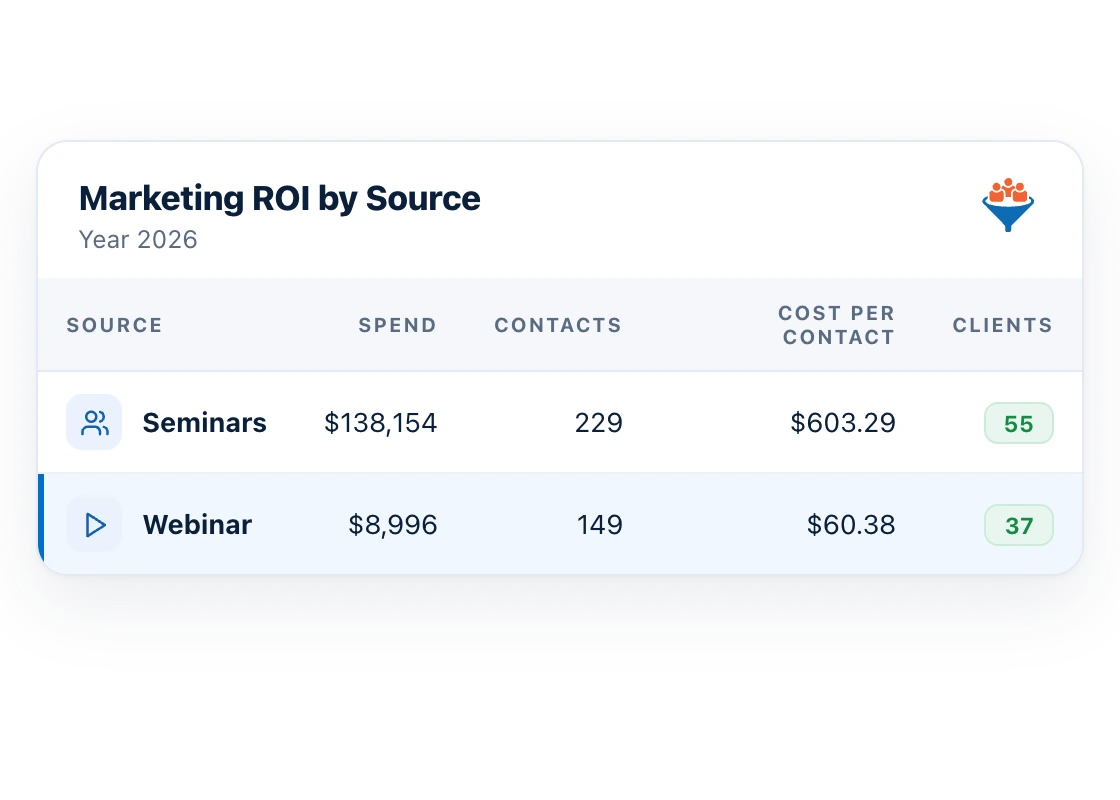
See the Return on Every Source
The Annual Marketing ROI report lists spend, new contacts, new clients, amount issued and estimated company commission for each source, then calculates the ROI of each channel.
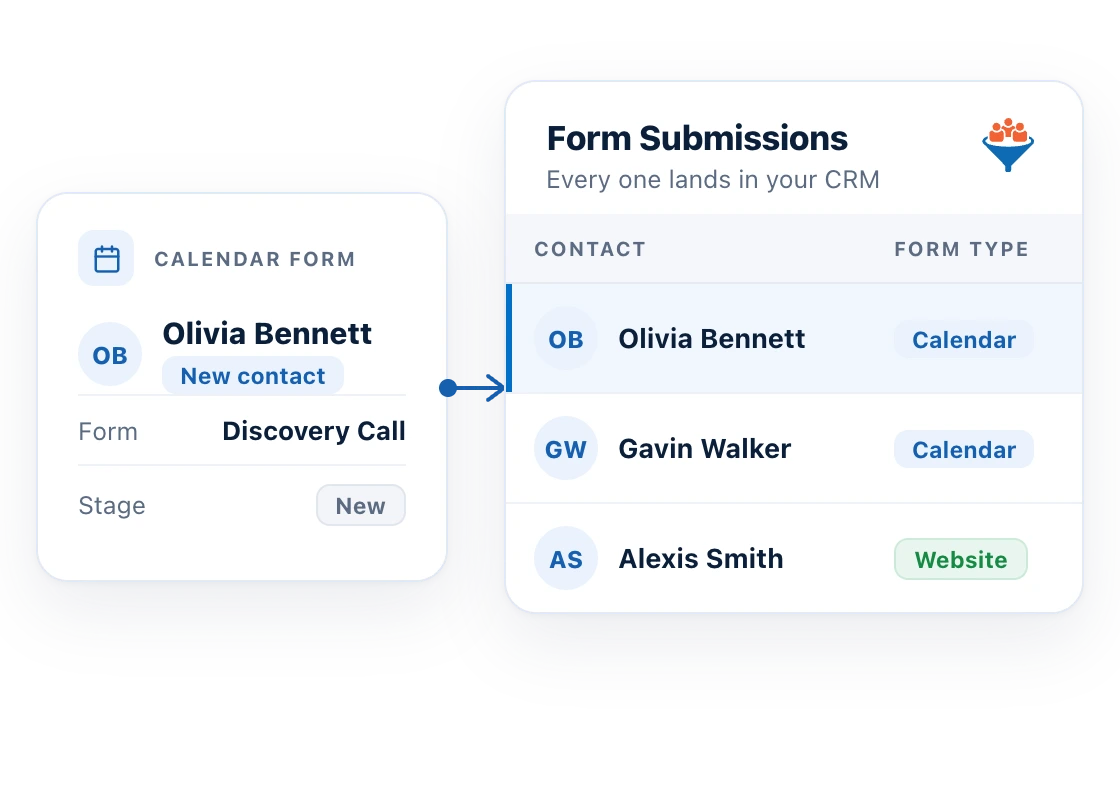
Know Where New Contacts Come From
The Form Submissions report breaks down every submission by source, stage and category, with a timeline, so you can see which forms bring contacts who move forward.
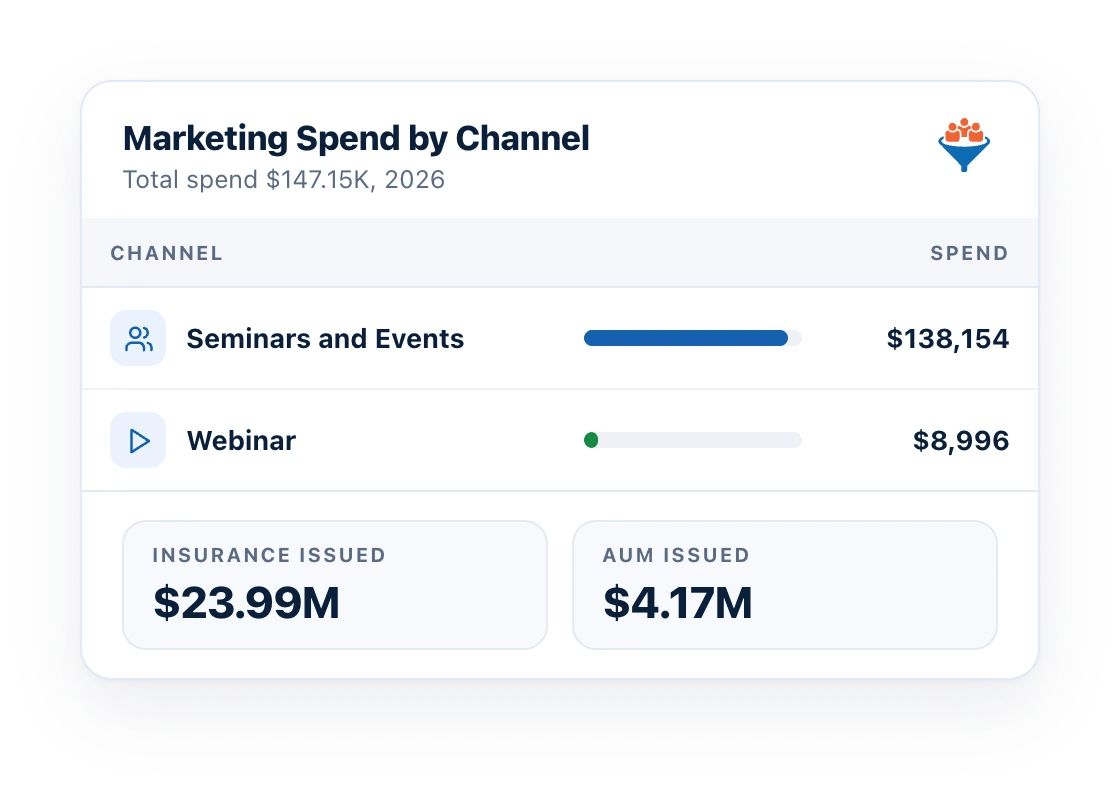
Track Marketing Spend by Channel
The Marketing Expenses report shows what you spend on each channel and category over time, so budget decisions are based on real numbers.
Frequently asked questions
Which marketing reports are included?
Annual Marketing ROI, Form Submissions, Marketing Expenses, Email Marketing and the Sales Pipeline report, along with the Executive Reports.
How is ROI calculated?
The Annual Marketing ROI report compares the spend for each source with the estimated company commissions from the clients that source brought in.
Where does the spend data come from?
From the expenses you enter on the Marketing Expenses page, by channel and category.
Can I see email campaign results?
Yes. The Email Marketing report shows how each email campaign performed.
How often are the reports updated?
Reports refresh every 15 minutes, so very recent changes can take a few minutes to appear.
Ready to See Which Marketing Pays Off?
Track spend, contacts, clients and ROI for every source in LeadCenter.
LeadCenter CRM, anywhere you go
Access your contacts, calendar, and tasks on the go with the LeadCenter mobile app for iOS and Android.