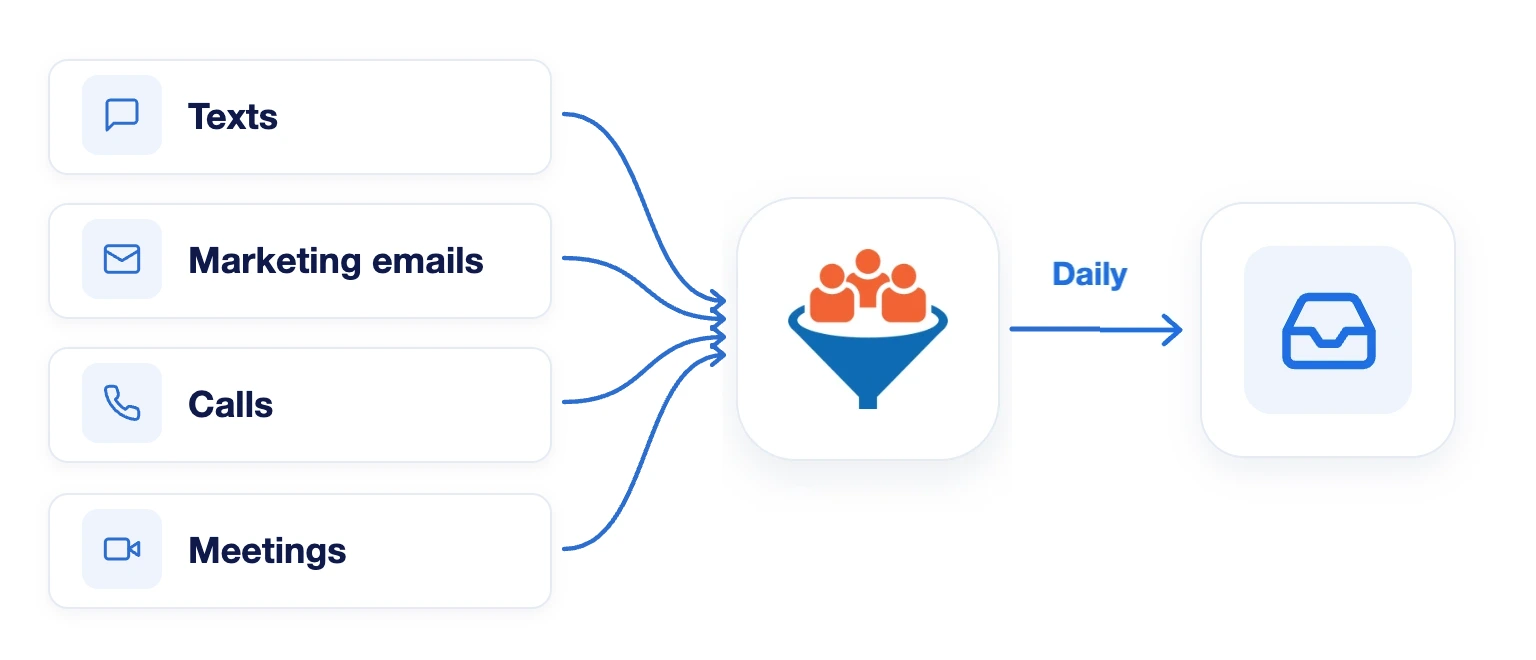
Send texts, marketing emails, and call and meeting transcriptions from LeadCenter to an archive inbox you choose, such as archive@company.com, every day.
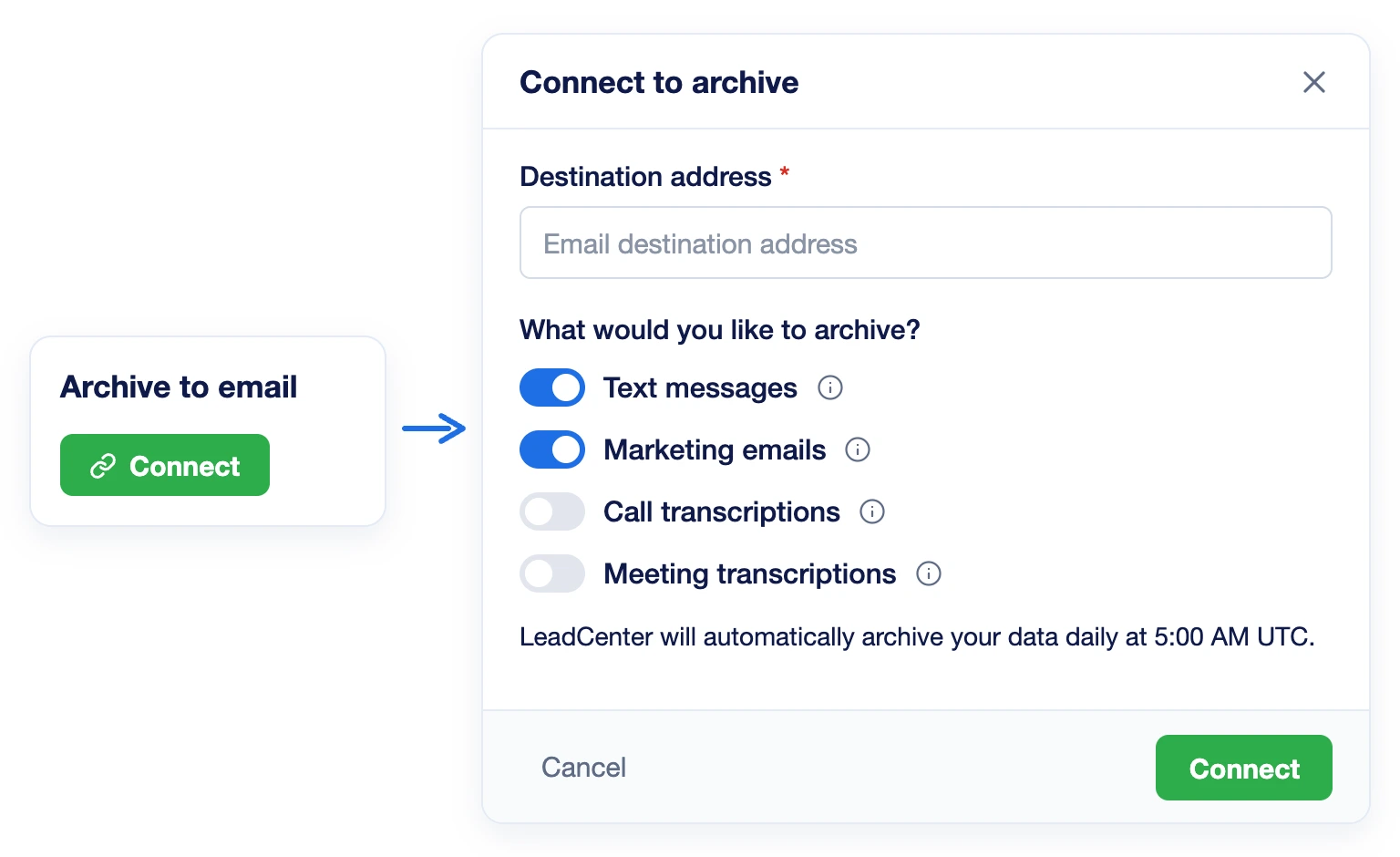
Connect Archive to email under Integrations > Archiving, enter your archive inbox and turn each archive type on or off. LeadCenter checks that the address can receive email.
Calls and Meetings, Not Just Texts
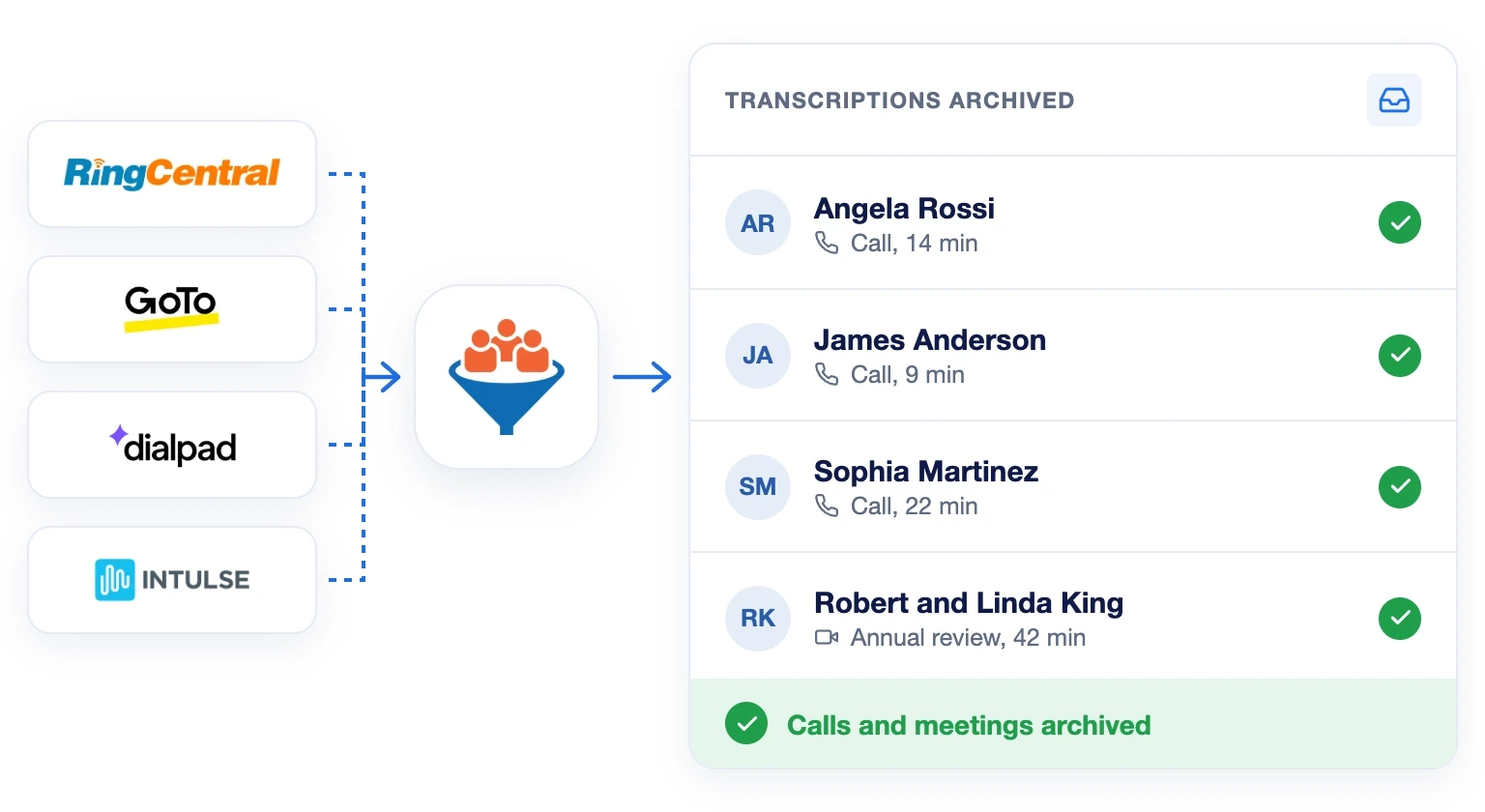
Call transcriptions from LeadCenter, RingCentral, GoTo Connect, Dialpad and Intulse are archived, along with virtual and in-person meeting transcriptions, private ones included.
Runs Every Day on Its Own
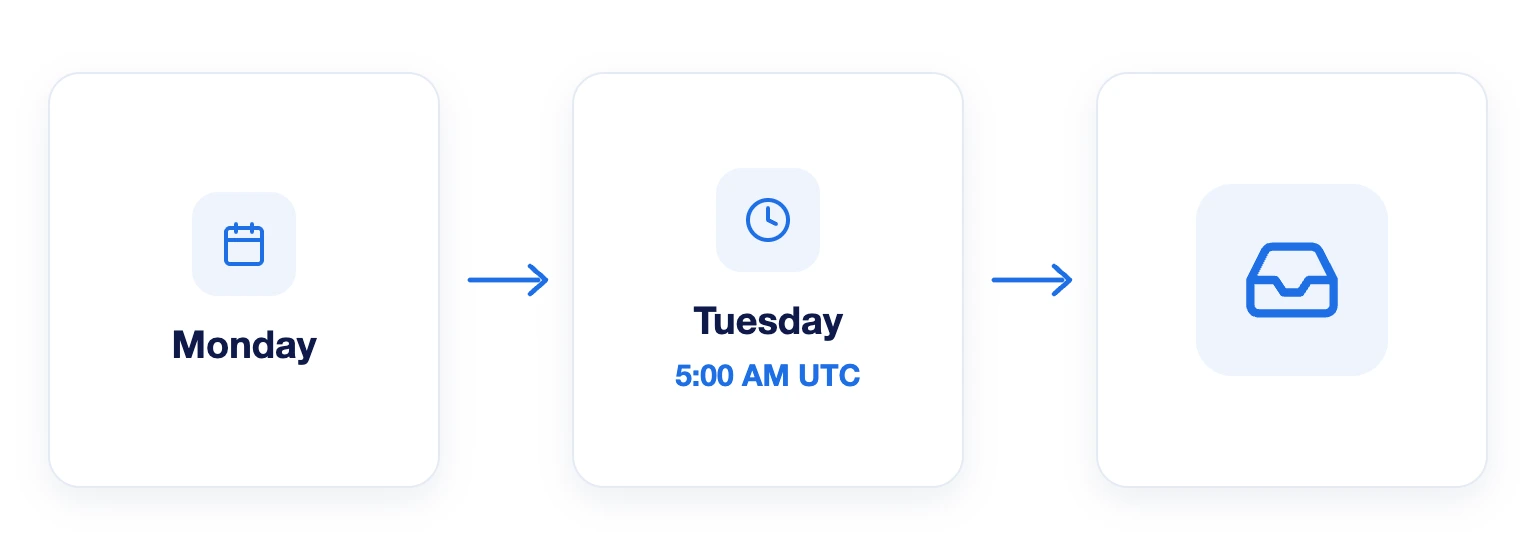
Every day at 5:00 AM UTC, LeadCenter sends the previous day’s communications to your archive inbox. Older records can be exported from LeadCenter reports and uploaded.
An archiving option in LeadCenter that sends your communications to a generic archive inbox, such as archive@company.com, instead of Smarsh or Greenboard.
Text messages, marketing emails, call transcriptions and meeting transcriptions. You choose which types to turn on, and you can change them later from Settings on the connected card.
Go to Integrations > Archiving and click Connect on the Archive to email card. Enter your archive inbox as the destination address, choose the archive types and click Connect.
Records are sent every day at 5:00 AM UTC for the previous day. Archiving starts on the date you connect. For older records, export them from LeadCenter reports and upload them to your archive provider.
No. Only one archive integration can be active at a time. To switch, disconnect the current one first.
Keep Every Client Conversation on Record
Archive texts, marketing emails, calls and meetings to the inbox you choose, automatically, every day.
Automate your marketing, sales, and operations processes and increase your lead-to-business conversion rates with a fully automated platform designed specifically for financial advisors.